White Giants: Time with the Largest Land Carnivores

By Jeff Daum, Ph.D., PPA and IP (Itinerant Photojournalist)

As an itinerant photojournalist I believe Annie Leibovitz said it best “I wish that all of nature’s magnificence, the emotion of the land, the living energy of place could be photographed.”

Some of you know my wife and I are enthusiastic globe-trotters and have had the good fortune to visit more than one hundred countries. Part of our motivation to travel has always been to see new flora, and wildlife, and to experience cultures that are different from our own. Unfortunately, some might not be around in the future for a variety of reasons.

We just returned from a trip to observe the Polar Bears[1] just outside of Churchill Manitoba along the Hudson Bay in the southern part of the Arctic Circle.  It was truly an amazing experience seeing these Ursus maritimus (literally ‘Maritime Bears’ because they spend so much time in the sea or sea ice), which are the largest land carnivores, in their milieu.  The males are generally between 550 to 1700 pounds and are eight to ten feet while the females are between 200 and 700 pounds at six to eight feet. 

Though they are carnivores eating primarily the Ringed seals they catch in the sea ice, they also eat grasses and berries. But I am getting ahead of myself- how did we get here?

The exploration began with checking into the Lazy Bear Lodge.  The real log cabin Lodge was built by owner Wally Daudrich from reclaimed trees, taking him over a decade to complete.  Wally’s son Deacon served as our highly knowledgeable and most congenial naturalist guide and Arctic Crawler™ Tundra vehicle driver.


[1] Commonly called Arctic Polar Bears, but since they only occur in the Arctic, they are properly called Polar Bears.  Their scientific name is Ursus maritimus.

We searched for quite a while before seeing a Polar Bear, and when we did it was in the distance near the shoreline.  Since darkness was setting in, we headed back to the lodge. I was a bit disappointed but clearly understood these Bears operate on their own schedule and there is no guarantee.

The next morning, we headed off again in the Arctic Crawler™ Tundra vehicle accompanied by a beautiful sunrise. 

Shortly thereafter we spotted a Polar Bear again near the shore.  Apparently we were more interesting than his search for seaweed or grass to eat and he started to amble over toward our vehicle. Because of their size, they don’t appear to be moving very fast, but in fact with his large stride he covered about a quarter of a mile (ok, since he was in Canada, he covered about 0.40 kilometers 😊) in just a few minutes.

He appeared to be curious about our vehicle, and particularly the corner red marker flags.  After carefully studying it, he stood up and swiped one of the flags.  He examined it and decided to leave it on the ground.  Once the Polar Bear walked away, Deacon carefully climbed down and retrieved the flag, so as not to leave it in the protected area.

As the day progressed, more Polar Bears appeared.  Most were by themselves, but several ended up joining one another.  In those cases, there were displays of jostling and sparing.  This included pushing, cuffing and some biting.  But in no case did one Bear hurt the other or drew blood.  These interactions could last ten to fifteen minutes, and a couple of times forty-five or more minutes.  The longer sessions typically had ‘breaks’ where one Bear would walk a short distance away, or both would lay down next to each other, before resuming the tousling.

Based on what I observed, along with talking to our local guide, and to renown polar bear expert Matthias Breiter, they are highly curious, basically gentle giants.  They do not roar even when jostling.  Polar Bears don’t normally attack people but do go after opportunistic food caches and because of these present problems around towns.

Females will aggressively defend their cubs who tend to stay very close to the mother for two to three years.  However, they will not interfere with the cubs if they are fighting one another.

Polar Bears are frequently misunderstood, often the result of being portrayed as growling ferocious bears in movies, and they are needlessly shot and killed.

This Polar Bear is looking across the bay hoping for ice as the sun is rising.

Just ambling along, possibly drooling thinking about seals.

Making sure his nails look good.

Jostling to assess one’s skills.

Just resting.

Not all Arctic Polar Bears are white.

Coming to get a closer look at me.

At the end of day, once again checking for ice.

The following day our Deacon took us to different part in the Churchill Wildlife Management area[2] of Hudson Bay and we were fortunate to see a number of Polar Bears.  Additionally, we were treated to hawks, Willow Ptarmigans, ducks, Grouse and other birds.  While we did not see any Arctic Foxes (theorized to be disappearing because of the impact of global warming here) we did see one Red or Cross Fox, and several Arctic Hares.


[2] This is a limited access permit only area designed to protect and preserve the Polar Bears natural habitat.

We did not come upon mothers and their cubs any day until the third day, when the sun was setting and we were heading back on a road near the forest.  At that point a female with one cub pretty much hidden by the trees, were spotted heading back into the woods.

Our last day in Churchill we were treated to a visit with renowned dog musher, “Big Dog” David Daley.  He shared an overview of dog sledding, care, treatment and training of the dogs.  Then we were off for an invigorating sled ride for the IDIDAMILE (not to be confused with the Iditarod).  But that story is for another time…

For a teaser of the dog sled ride see https://youtu.be/uTvFXeF5PEA

Additional Bare Facts about (Polar) Bears 😊 primarily from Matthias Breiter[3]

  • Polar bears often close their eyes when walking. They are not sleeping, however. Rather, they are focusing on their most advanced ability, their sense of smell.  They have an articulated nose.  The enlarged nasal cavity is a heat exchange chamber.  It helps heat cold air on inhale and cool down on exhale.  You won’t see a plume of moisture when they exhale even in below zero temperature and this helps prevent dehydration resulting from breathing.

[3] From a talk and discussion Matthias Breiter had with our Tauck group

  • They don’t have to pee to get rid of amino acids like we do, because they are able to recycle amino acids.
  • Tag or tags in ears means the bear has been caught around town and detained in bear “jail.”
  • Life span is fifteen to eighteen years, though some have lived over thirty years.
  • World population is estimated at 25,000 living in the circumpolar arctic region.
  • Mid-November to end of July they are out on the sea ice hunting seals.
  • Polar bears typically mate from March to May.
  • Pregnant females go to the dens in the forest in early October and typically give birth to cubs in late November or December, returning with the cub(s) to the sea ice in February or March.  The average litter size is 2.1 cubs.  If they have three, one is a runt and typically won’t make it to be a Yearling. They don’t go into the dens until there is snow on the ground.  There are about 600 dens under the tree roots and they are very stable.  They are reused.  About 300 of the dens are active.
  • While males do wander the females stay close to and return to the area where they were born.
  • Healthy females can live off their fat for nine months without eating.  They only lose about five percent of their muscle mass in hibernation.  In bears, muscle mass and the rebuilding of the mass is separate from the actual use of the muscles.  During hibernation they drop their metabolic rate by half.
  • Their big paws help distribute their weight and enable them to be exceeding good and very fast swimmers.
  • While appearing for the most part as white, the Polar Bears actually have black skin. However, their fur is composed of hollow transparent hairs that bounce the sunlight around scattering the full spectrum resulting in luminescence and reflecting back as white.
  • The big problem they have is thermal regulation and overheating.  If you scanned them with an infrared camera you would hardly see any indication of heat because of their subcutaneous fat layer and insulating fur.  The only places that they can dissipate heat are their arm and leg pits.  They will prostrate themselves on the snow or ice to cool down after a sprint or chase.
  • Polar bears are social, typically by gender. Aggression is rare, except as noted with females protecting their cubs. 
  • The biggest problem is that polar bears get shot needlessly in defense of property around the town by people who don’t understand how to control bears.  If you run from them, they may chase after you.  Movement toward the bear will normally cause them to back up.
  • Polar bears basically gain all the weight they need in six weeks to two-month period.  They then maintain that weight or lose a little for the rest of the year.
  • However, without the sea ice and the seal pups there would not be any polar bears surviving.  Now unfortunately the ice isn’t forming as early as it used to.  Sometimes you don’t have sufficient ice until December.  In the past, the ice formed in September. 
  • When he Matthias started working in Hudson Bay there were around 1600 polar bears, now there are 612.

For the camera enthusiasts: All images were taken with either a Nikon Z7ii using a Nikkor Z Zoom S 100-400 mm lens handheld or a Nikon Z7 with a Nikkor Z Zoom S 24-124 mm lens. The Nikons were carried using a Blackrapid double or single straps system. To ensure I always had enough power, I started each day with five fully charged batteries.  I did not run into any issues with the cold affecting my equipment.  The real challenge was holding the camera and lens steady while out on the observation deck due to high the crosswinds.


A few parting shots (pun intended):


In sum, we would say this Polar Bear experience was right up there with our Gorilla Trek (in the Bwindi Impenetrable Forrest) in terms of unique encounters with the awe-inspiring magnificence of Mother Nature.

If you would like to see my full gallery of Polar Bears click on https://www.daumphotography.com/Nature-Images/Arctic-Polar-Bears

Thanks for joining me on this adventure! Please feel free to leave comments and/or questions below.

Is it a car, a UFO or…? Part 2:  Inside Aptera’s Innovative Production Facility

By Jeff Daum, Ph.D., PPA

Product & Technology Analyst

Those of you who follow my blog might recall that I ended my initial article on Aptera Motors Corp.1 saying “This is hopefully Part 1 of a multipart Aptera review.  Stay tuned for Part 2: a factory visit and first drive…”  I just returned from Aptera’s production facility and while I did not get the opportunity to drive the Aptera, I did enjoy a ride in a preproduction unit.

My focus here will be on what I’ve learned and not to go over the points discussed in my initial article (link in footnote) other than to reiterate my full transparency statement: I was so impressed with the Aptera, its cutting-edge technology and dual CEO team direction and commitment, that I have placed and received confirmation of a pre order future variant all-wheel drive Aptera.

Our tour- my wife accompanied me being highly curious about the Aptera and why I was excited about it- was facilitated by Will Jarrett from Aptera’s Marketing department.  Aptera Motors intended production facility in Carlsbad California is a bright open space building of approximately 77,000 square feet.

While the formal visitor tour set up is still being developed, parts of it are currently in place including:

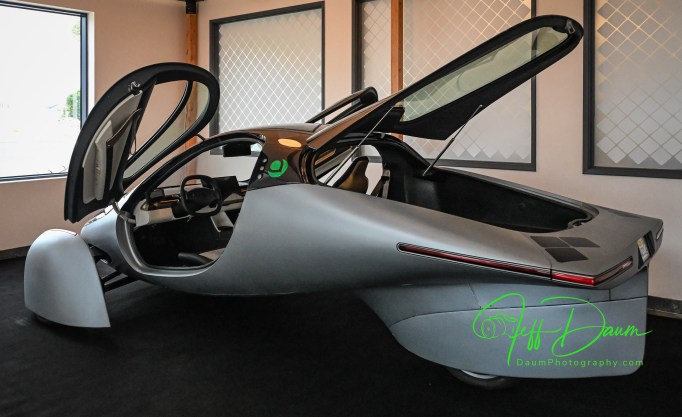
  • A preproduction version with the same body shape as the production version, but with a clear glass rear hatch instead of solar panels
  • The front-end light unit from the supplier with its classic smile look
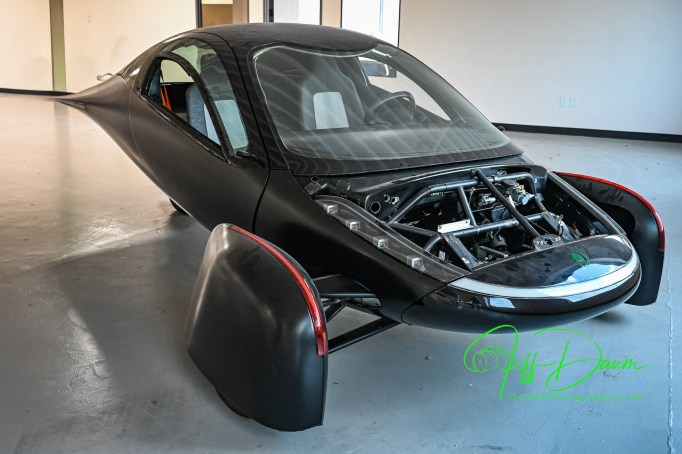
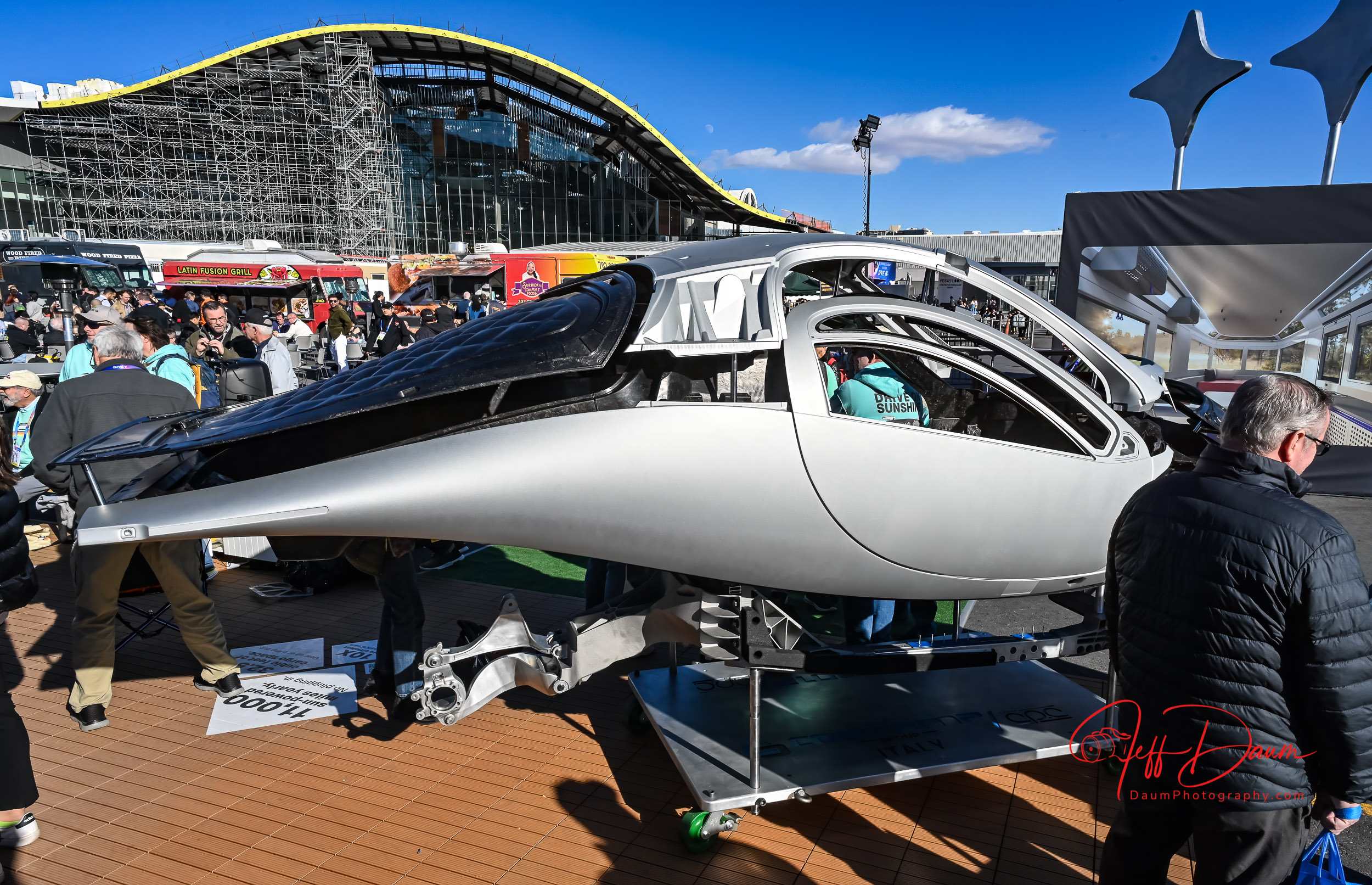
  • A complete body shell
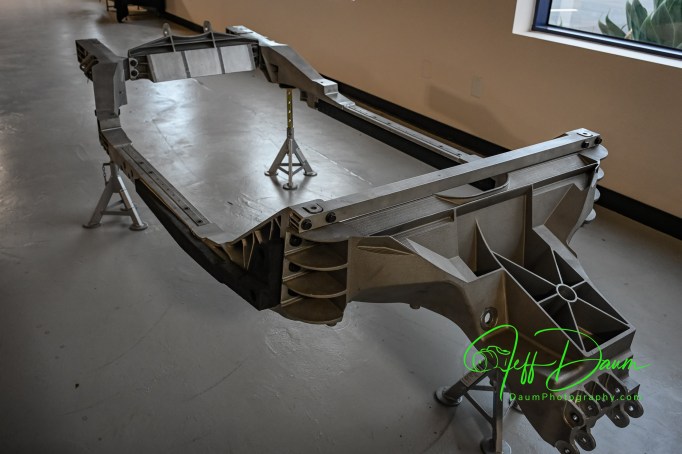
  • A full frame
  • An AGV robot of the type that will be used to automatically move the assembly components around the production line
  • Various solar panels for different sections of the Aptera, all designed and made in-house
  • An earlier version Aptera in striking matt black
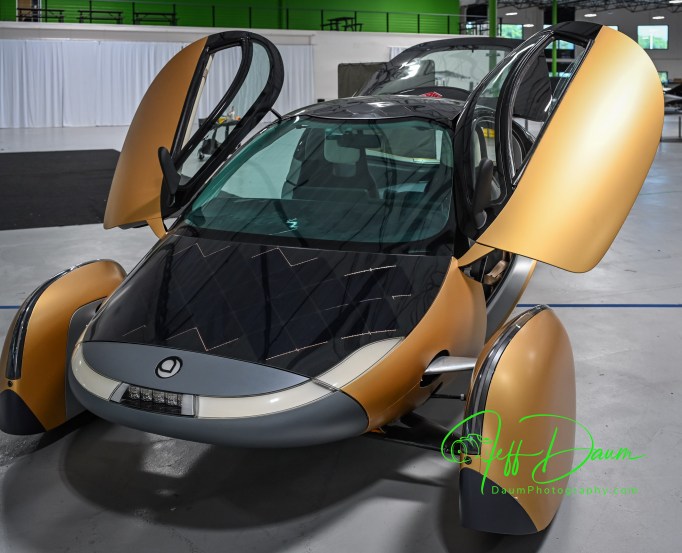
  • Gold colored Gamma version
  • More solar panels including those being sold to other companies for non-Aptera applications
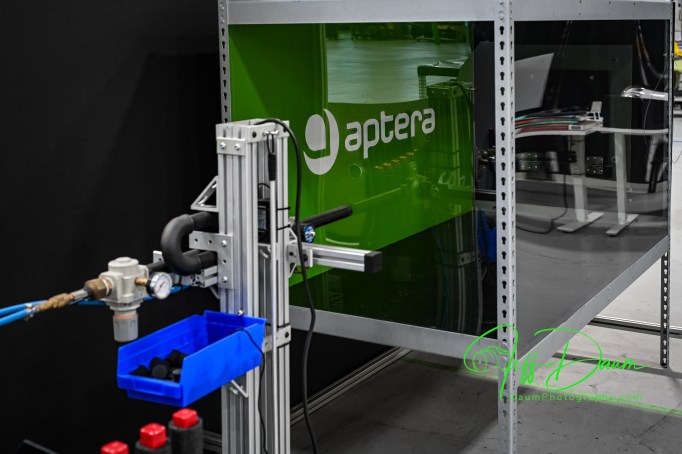
  • A pneumatic ‘gun’ for firing pellets at the solar panels for testing durability
  • Aptera bodies with nearly complete interior components
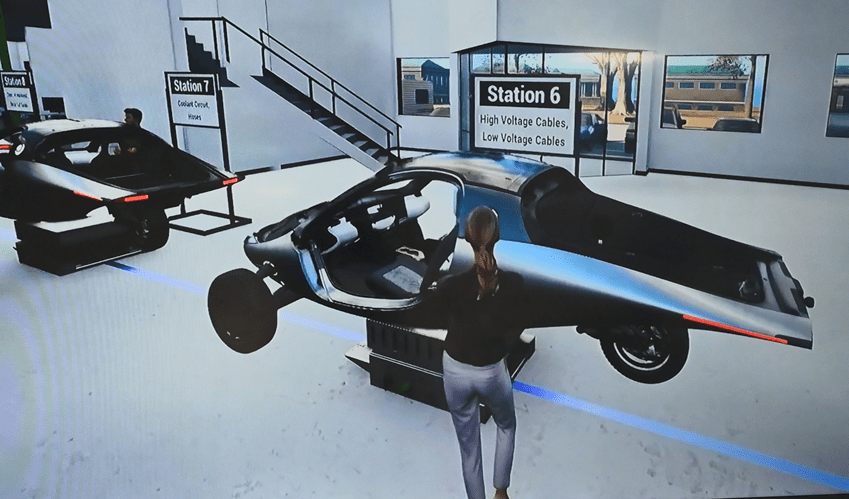
  • A video simulation showing the 14 or so stations that the assembly line will progress through on the AGVs

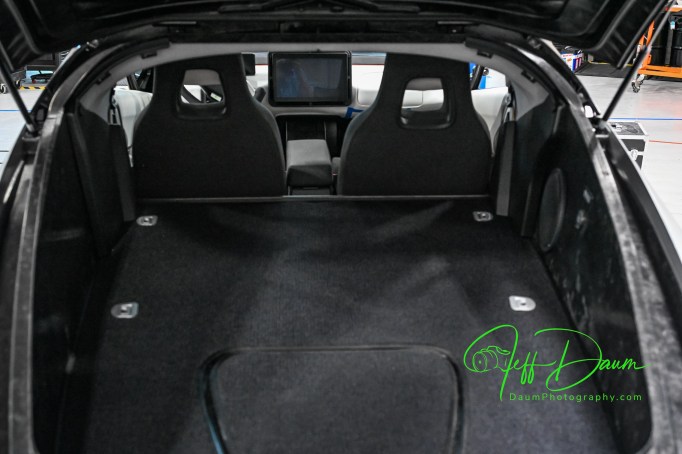
Not included in the tour were areas of the facility that housed testing rooms, subassembly rooms, etc.

As we walked through the facility, Will explained what we were looking at and responded to my questions.  Here is a summary of our discussions.  The extremely low coefficient of drag body is manufactured in Modena Italy by the C.P.C. Group and is a combination of Carbon Fiber Sheet Molding Compound and Glass Sheet Molding Compound and shipped over as a unit.  Amongst its advantages are the significant strength to low weight ratio and that it has only six structural pieces compared to the hundreds that are used in most cars.  The Aptera safety cage is modeled after Formula 1 cars!

It sits on a custom metallic chassis that is also made in Italy by the Costamp Group, located right next to C.P.C.

The components and Apteras as they are being assembled will be moved around the 14 stations of the production line on AGVs that follow the blue line that can be seen on the facility floor.  The advantage of this AGV technology is flexibility over fixed production lines.  If something happens with one of the AGVs it can be pushed aside and the line will continue to operate.

The cars will be primarily assembled by people, assisted by automation where practical.  After the low-volume production phase, the objective is to produce 20,000 Apteras in this facility per year.

[above three images are screen shots from Aptera’s Media Simulated Production Line video]

The battery assembly will be done in house.  40 KWh unit will provide a 400-mile range.  They will be using LG batteries.

The solar panels are designed and patented by Aptera’s team.  They have also started licensing the technology to others for alternative applications.  Amazingly they are bendable and have a glass surface similar to Gorilla Glass (as used in smartphones).  They can withstand direct hits without breaking.  The design allows for the panels to be replaced if necessary postproduction.  For example, if a section gets damaged, or down the road the efficiency of the solar panels improves so much that it might make sense to swap the older ones out.

The production versions will have a solid trunk lid without glass and be covered with solar panels and use a camera for an unobstructed comprehensive rear view in a center mounted electronic rear view mirror (similar to the one used in the new Corvette for example).  The side mirrors are combination of mirrors and cameras. The mirrors are required to follow existing US NHTSA law.  The cameras show clear views of both sides of the Aptera on two screens directly behind the steering wheel.

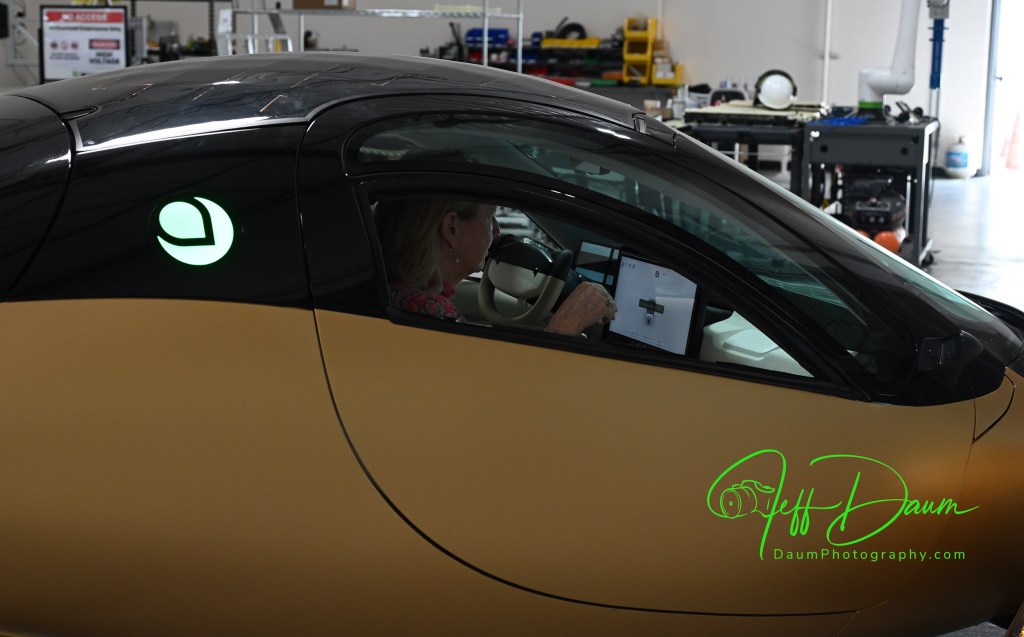
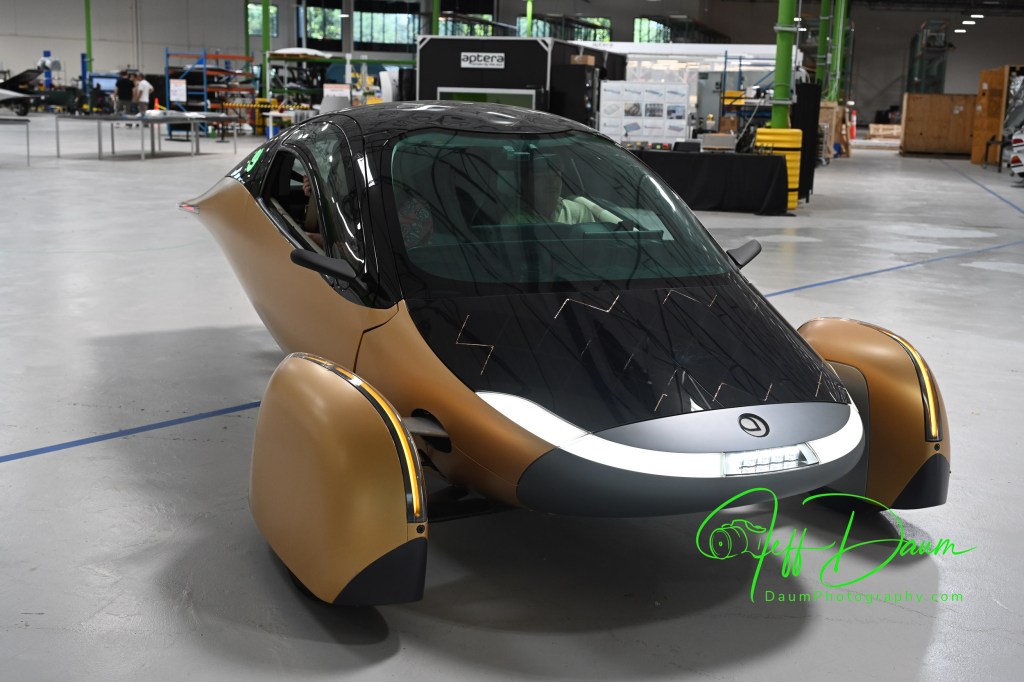
The gold unit “Gamma” in the following image is the most recent prototype, though they now have Production Validation versions.  This is the one we rode in.

The silver unit is a current Production Validation Aptera called Artemis and is the one that they did the extended Route 66 trip.

There are a few additional things that Will pointed out.  They have built-in fail-safe backups like having buttons behind the large central screen that will allow you to continue to drive the Aptera if the screen fails.

The trunk lid is designed to open part way without flying up so that if you have a low ceiling you don’t have to worry about it hitting it.  You manually open the lid the rest of the way.

There are plans to have several options for the battery pack beyond the standard 400-mile range, including a 250-mile range, 600-mile range and 1000-mile range.  Also having a Level 2 Autonomous driving option.

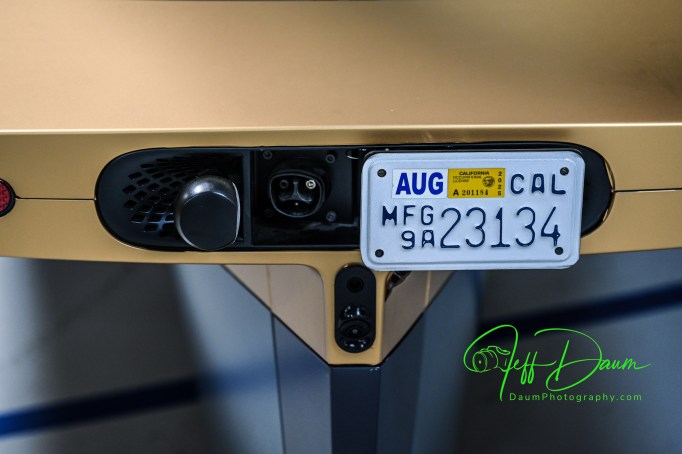
In the image above, you can see the North American Charging Standard (NACS) port located behind the license plate which slides to the side providing access

While Will is not permitted to discuss the status of funding he said once sufficient capital is obtained it will be about nine months until the first production vehicles are finished and out the door.

My thoughts following the tour and ride

Having driven several all-electric vehicles from different OEMs and currently owning one, I’ve come to expect lots of torque and rapid acceleration from an EV and Aptera doesn’t disappoint.  What I did not expect was that Aptera, a three-wheeler, would feel so rock solid through turns at speed.

The interior is roomy and comfortable, feeling for example very comparable to my Corvette Stingray Coupe (but Aptera has more headroom) with a surprising amount of usable space behind the seats. 

Visibility looking out is very good and supplemented by an electronic rearview central mirror as well as electronic side views on two screens directly in the driver line of sight.

Aptera has lots of ‘coolness factors’ including its slipstream shape, knock on the body to open doors and trunk (no outside handles) and the solar recharging.

I am left with two concerns at this point:  One is a driving practicality issue and the other is whether Aptera will achieve financial fluidity to realize their objectives.

What I mean by driving practicality comes down to how the two “outrigger” front wheel units will survive in real world situations.  They are quite wide at approximately 88” across when the wheels are straight and wider when turned off center.  This width is further compounded by the fact that the tops of the wheel units are low with respect to the Aptera body.  That wheel unit to wheel unit width is greater than many cars and even small trucks on the road today.

Here is why I think this may be a concern: If you backed your Aptera in the center of a typical parking spot in a parking garage, the slot often is only 9 feet or less wide, which leaves about 10 inches or less between the edge of your wheel unit and the edge of the next parking slot.  If a car, or worse a truck, then goes to back in next to you and turns in rather than pulling straight in, what are the odds that they will only glance at the body of your Aptera and not see the outrigger front wheels?  Since the Aptera front wheels contain also the driving motors if they get brushed or hit the damage could be considerable.  Will the wheel units need some sort of pop-up flag or indicator to ensure they are seen and avoided when parked?

This width will also require drivers to maintain better vigilance regarding staying in the center of their lane and not straying on the road compared to driving other vehicles.

Regarding Aptera Motors Corp. viability I did some research on their current financial Issues.  Based on Aptera’s August 27, 2025, Form S-1 filing for listing on NASDAQ here is their estimate of funding still needed for production: “Our production plan for our Carlsbad facility is phased and each phase is contingent upon a specific level of funding. The initial “low-volume” production phase is estimated to require approximately $65 million in capital to fund remaining necessary tooling and validation programs. Following the initiation of low-volume production, a second phase to ramp to high-volume production would require an estimated additional $140-$160 million. This high-volume rate, which we project to be approximately 20,000 vehicles per year at our current facility’s maximum capacity, was a figure determined in consultation with Munro & Associates, a firm specializing in lean manufacturing principles for the automotive industry.”

“Specifically, securing the capital estimated for both initial low-volume and subsequent high-volume production phases is critical. Until this funding is secured, the Company will be unable to predict if and when production will commence.”

Hopefully the listing on NASDAQ and subsequent offers will go well (and rapidly) for Aptera- I am so looking forward to having one in my garage!

P.S., My wife really enjoyed her ride and was impressed with the Aptera 😊.

Marques Brownlee has just posted an informative video based on his driving a preproduction Aptera. You can view it at https://www.youtube.com/watch?v=2OvyyVxQjuI He raises some excellent points.

Stay tuned for my next Aptera update! Thanks for visiting and reading. If you have a question or comment, please feel free to enter it below!

  1. https://insight.daumphotography.com/2025/01/19/is-it-a-car-a-ufo-or-first-look-at-the-aptera-the-future-of-electric-solar-vehicles/ ↩︎

You’ve been captured! Reolink Elite 4K Floodlight WiFi surveillance camera review

By Jeff Daum, Ph.D., PPA

Technology & Product Analyst

In a word, this Reolink Elite Floodlight WiFi surveillance camera is truly impressive.  Reolink raises the bar for surveillance systems on multiple levels including image quality, ease and flexibility of use and AI-assisted search of recorded videos.  This unit was provided to me by CommunicateMore for testing and review.

Here are the Reolink Elite Floodlight WiFi specifications listed on their website*:

  • Image Sensor 1/2.7″ CMOS  Sensors
  • Resolution 5120×1552(8 Megapixels) @20fps
  • Lens f=2.8mm fixed, F=1.6
  • Field of View Horizontal: 180° Vertical: 59°
  • Infrared Night Vision Up to 30 meters (100ft); LED: 9pcs/850nm
  • (Auto-switching with IR-cut filter)
  • Color Night Vision With Floodlights: 19W 3000 Lumens/3000K~6000K
  • Frame Rate Main stream: 2fps – 20fps(Default: 20fps)
  • Sub stream: 4fps – 20fps(Default: 20fps)
  • Code Rate Main stream: 3072Kbps -8192Kbps(Default: 5120Kbps)
  • Sub stream: 256Kbps – 2048Kbps(Default: 1024Kbps)
  • Audio Two-way audio
  • Tailorable real-time mobile notification options of email, text or both.
  • Unit cost: US$219.99 list

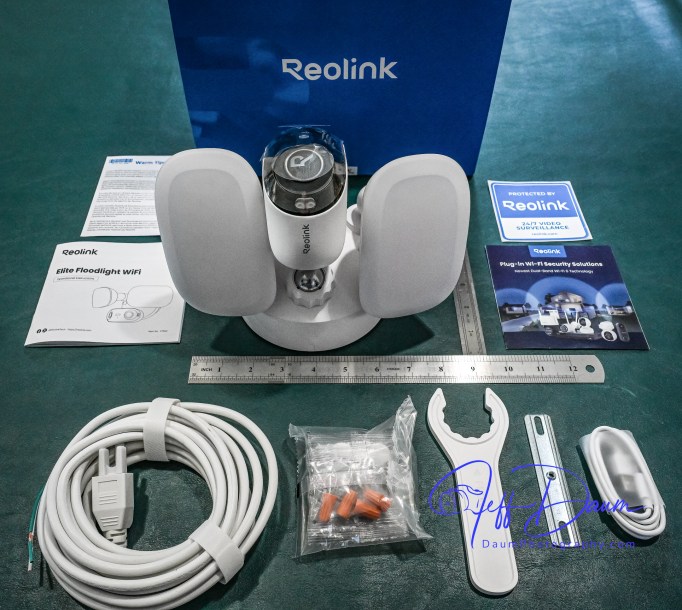
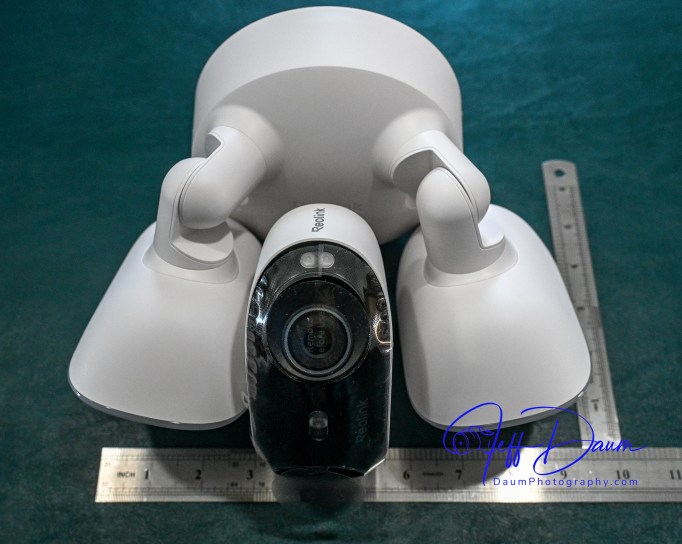
The unit ships with just about everything you need to mount the surveillance camera and get it up and operational.  Included is the camera unit with dual cameras and two LED floodlights, hardware to mount it on the wall or overhang, and a brief manual.  Additionally, each package of the different screws needed are clearly labeled and match the labeling in the brief manual.

Before you mount the unit you need to use your smart phone to download their free app which then guides you through the initialization of the camera and linking it to your WiFi.  At this stage you temporarily power the camera with the supplied USB A to C cord.  However, you will need to provide your own 5-volt 2-amp USB power adaptor (standard with most phones in the past).  Access the USB port on the camera body by removing two Phillips head screws in the port cover (the screws are ‘captured’ so you don’t have to be concerned about losing them).

This initialization process will go smoothly if you make sure you do a couple of necessary things:

  • Ensure you set up the permissions for the Reolink app to access your camera, its Bluetooth, precise location, etc.
  • Notice the little check box on your phone as it is stepping you through the process that says ‘you heard the voice prompt’ from the unit.

Once you get the initialization set up, you disconnect the USB cord.  If you are going to use the unit’s internal storage, you will need to install a micro-SD card at this point.  It supports up to a 512GB microSD card with FAT32 format and Class 10 read and write speed. You will find the microSD slot near the same area that you inserted the USB cord.

You don’t have to use internal storage, but I recommend it even if only as a backup.  Reolink offers the option of storing recorded videos to the microSD card, your own NAS or their NVR unit.

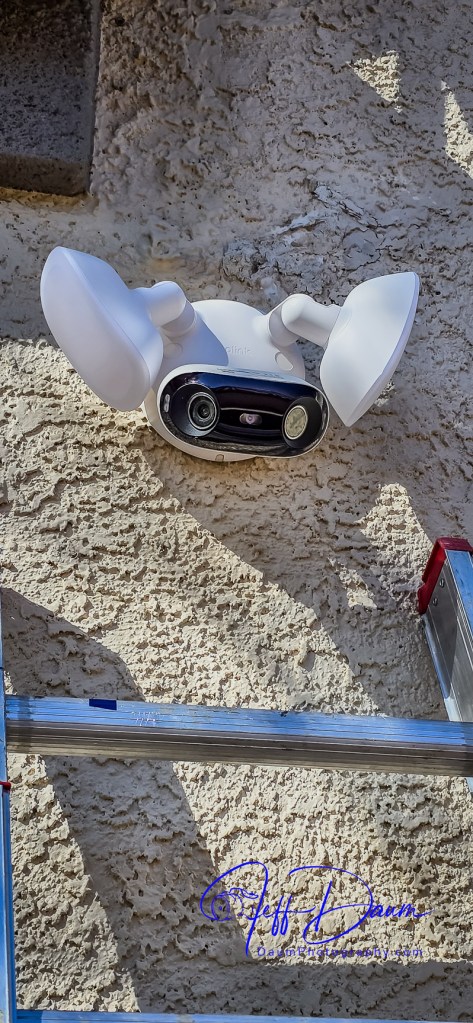
Next you screw the port cover back on and are ready to mount the unit.  Since it is powered by AC 100V~240V, 50~60Hz you will need to have a junction box available where you plan on placing it or run power and a new box to the location.  Wiring is straight forward, just the hot, neutral and ground connections.  The mounting bracket Reolink supplies has a level built into it that makes it easy to correctly align the three screw holes as you mount it to the wall.

The camera and floodlights unit then screws on the mounting bracket.  Note: There is a small loop incorporated into the back of the camera unit that allows you to temporarily support/hang it while you connect the three wires with the supplied wire nuts.

Once you have the unit mounted and have placed the supplied hole plugs over the screws, you are ready to turn on the power to the camera.

In my case the unit came online in the app on my phone almost immediately.  Next, using the live stream in their app, you position the camera head to deliver the best coverage.  They provide a plastic wrench to tighten the camera support once you have it positioned.

Keep your ladder handy if you mount your unit high on a wall, since you will need to wait until it is dark to position the two floodlights best for your situation.

Reolink’s smart phone app is very easy to use and well designed.  It opens to a live stream of the camera’s 180 view.  The app is intuitive with icons to trigger the 105dB siren, floodlights, two-way audio, snap a picture or start a recording, talk over its built-in speaker, playback recorded events and access your settings.

They also have free versions of the app available for use on a PC or Mac that are equally easy to use.

The key function that sets Reolink’s app and this Elite 4K Floodlight WiFi surveillance camera apart from competition is the ease you can review recorded videos.  Instead of having to wade through potentially hours of video to find what you are looking for Reolink uses AI to do it for you!

When you click on Playback on the phone, it loads the videos by date and then there is an icon that allows you to sort/search by event type.  For example, you can choose to see all videos where a person entered the field of view, or a vehicle, or animal or combination of these.  When you select one or more of these filters, it then quickly sorts through the videos and brings up only those matching your selection.  If you used the settings function to define a specific line or zone in the viewing area, you could also select to see videos where someone has crossed the line or entered the zone.  It can even identify and sort when someone is loitering in the viewing area.

When you are looking at saved videos, the app allows you to play the video at normal speed or as slow as ¼ speed or in increments up to 16xs speed.  As mentioned, you can at any point snap a picture of what you are viewing, and/or download the current video.

The Reolink apps on PC or Mac are very similar to the smart phone app in functionality and ease of use.

I found this AI assisted search to be excellent and correct most of the time.  It really saves so much time and effort searching through recordings to find an event.

This brings me to the quality of the image.  Whether you are looking at the live feed or the recorded image, it is outstanding in both day and night versions.  The image is sharp, the color excellent during the day and very good at night even with the floodlights set to lower lumen output (I did set the color temperature to 6000K and reduced the lumens to about half power).

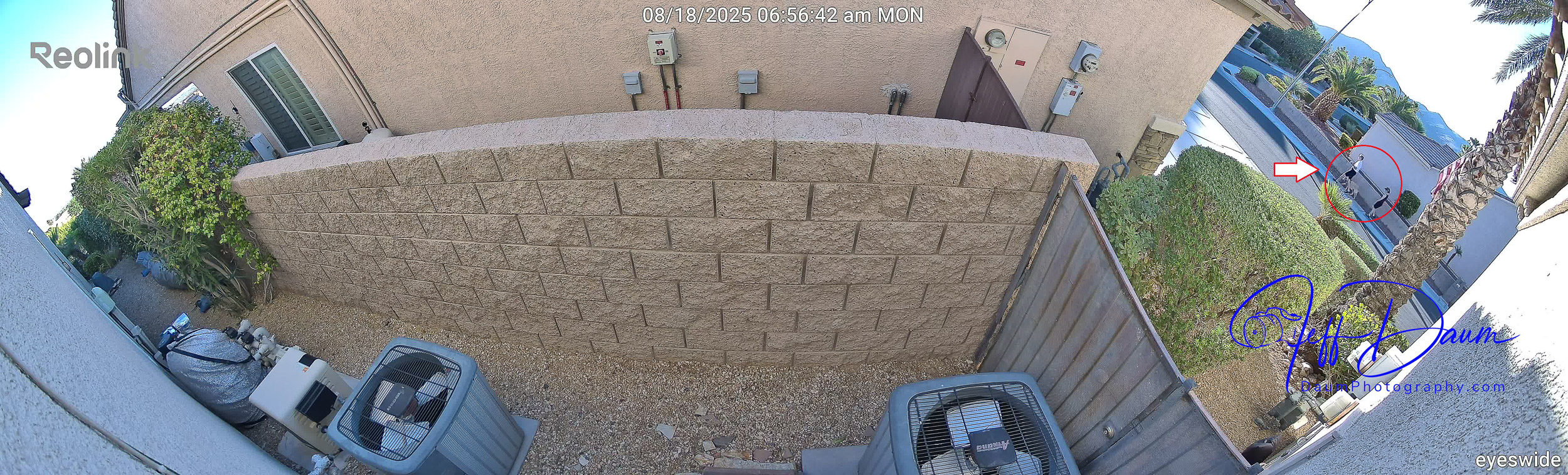
Here are some samples of daytime images and nighttime images directly from the live stream.  The detail holds up even if you considerably enlarge (crop) an image. Note, these are uncorrected images directly from the Reolink unit. Because of the native quality, they could if necessary be easily enhanced using post production editing.

These are day and night images:

These sets show enlargements of the red circled area in the first image:

Similarly, the videos are smooth and images crisp. For a short day clip see https://youtu.be/L3aVJGOvWz0

and for a short night clip see https://youtu.be/Z7__wVtNgxs

You can see in these samples that the Reolink software automatically stitches the simultaneous images from the two cameras in the unit together to provide a panoramic picture.

In my set up because I have the unit both mounted high and pointed downward so I can see both ends of the side yard as well as wall of my house, you do end up getting normal curvature distortion from the center of the image to both sides.  This is mild and does not impact the sharpness of the image.  If you end up mounting the unit lower or don’t need to point it downward as much, you will have little to no curvature distortion.

The type of recording you want to save is set in options, along with where you want to store them.  For this review I went with a 512GB MicroSD card and allowed it to save recordings of all forms of activity.  It appears that it will store approximately a month’s worth of recordings on my setting before recording over the oldest files.

The Reolink Elite 4K Floodlight WiFi surveillance camera and its free apps do not disappoint.  The high quality180 degree view along with the AI search set this system apart from competition.  It is easy to tailor it for your specific needs and is value-priced considering everything it delivers.

It receives five out of five thumbs up!

*Reolink website https://reolink.com/us/

Thanks for visiting and reading. If you have a question or like to comment, please feel free to enter it below!

Beatbot AquaSense 2 Pro: Is this the paramount of pool robots?

by Jeff Daum, Ph. D., PPA

Product & Technology Analyst

The is the second generation Beatbot pool cleaner.  I was really impressed with the first generation and its capabilities.  You can read that review by following this link https://insight.daumphotography.com/2024/05/14/beatbot-aquasense-pro-clean-your-pool-with-a-robot-every-bit-as-smart-as-r2-d2/

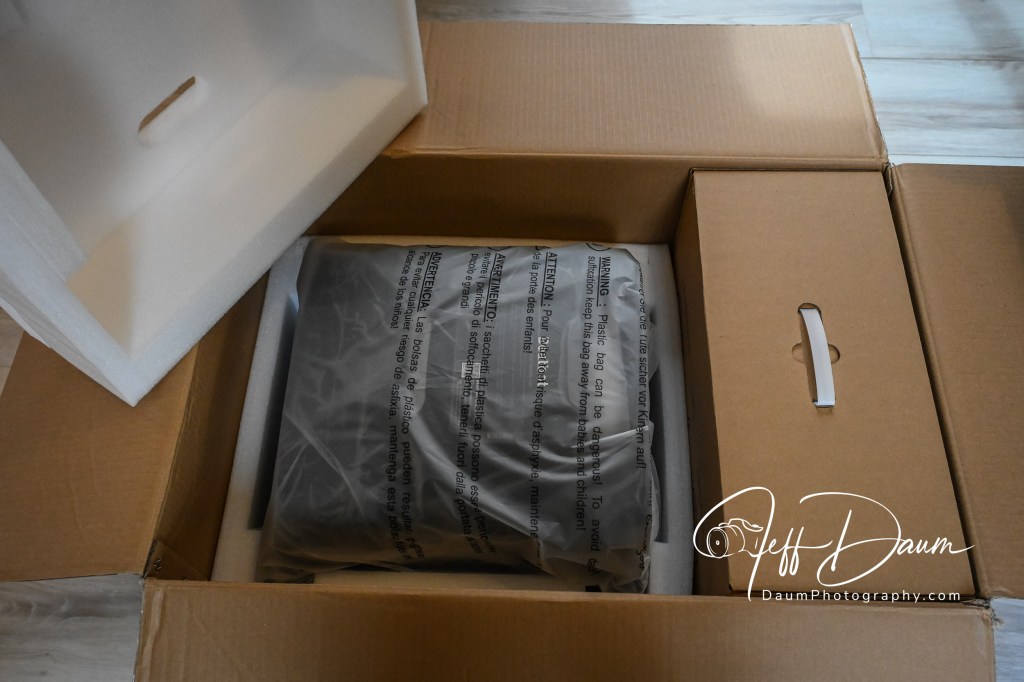
Unboxing and Technical Information

Everything you need to get started is included along with a very large Quick Start Guide sheet and the Owner’s Manual.

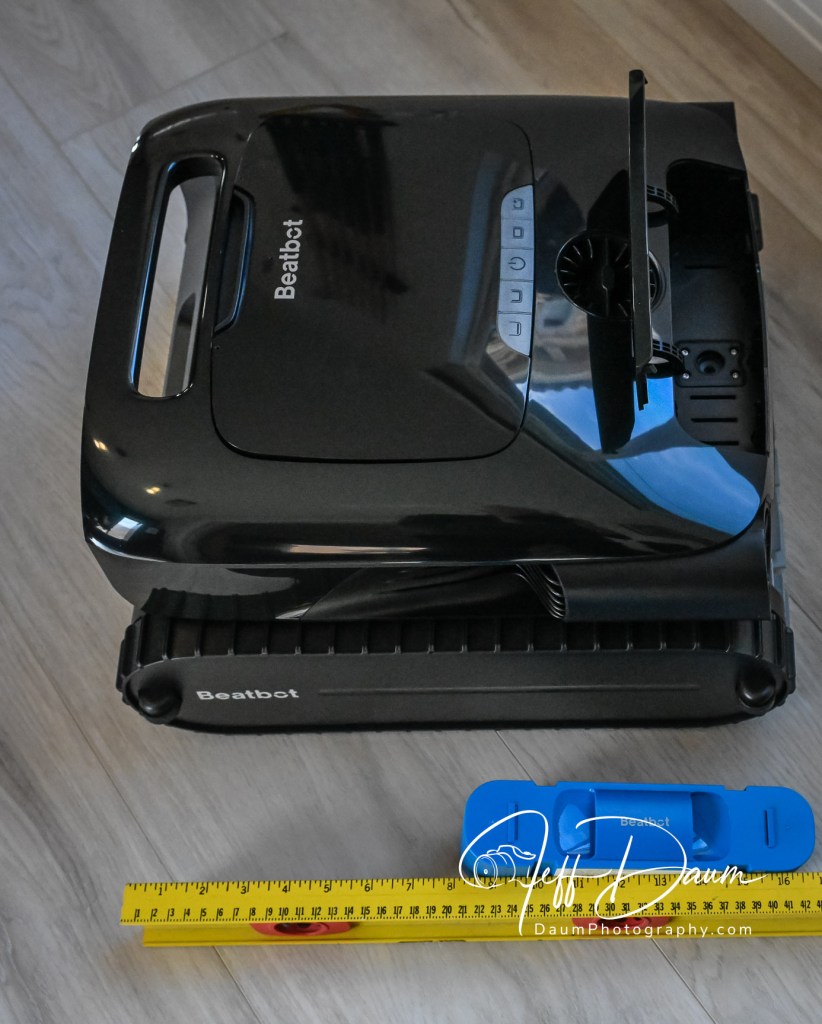
Set up is easy, simply assemble the charger base by sliding the two support legs on and plug it into a wall outlet.  Then set the AquaSense 2 Pro onto the base and it automatically starts charging indicated by the blue ‘breathing’ light on the unit.

The first time you set it up, you also need to download the free Beatbot app and let it find your new Beatbot.  This goes quickly through your WiFi (both 5G/2.4G)  and Bluetooth on your smartphone.

Here are the highlights of the Beatbot AquaSense 2 Pro as listed on their official website (https://beatbot.com/products/aquasense-2-pro )

  • 5-in-1 Cleaning: Water Surface, Waterline, Floor, Walls, Water Clarification
  • Skin-Safe & Eco-Friendly ClearWater™ Natural Clarification
  • Efficient Water Surface Cleaning with App Navigation Control
  • Smart Water Surface Parking & One-Touch App Retrieval
  • Full Coverage Path Optimization with 22 Sensors
  • Up to 11 Hours of Continuous Surface Cleaning
  • 3-Year Warranty with Full Machine Replacement
  • Durable Automotive-Grade IMR Coating

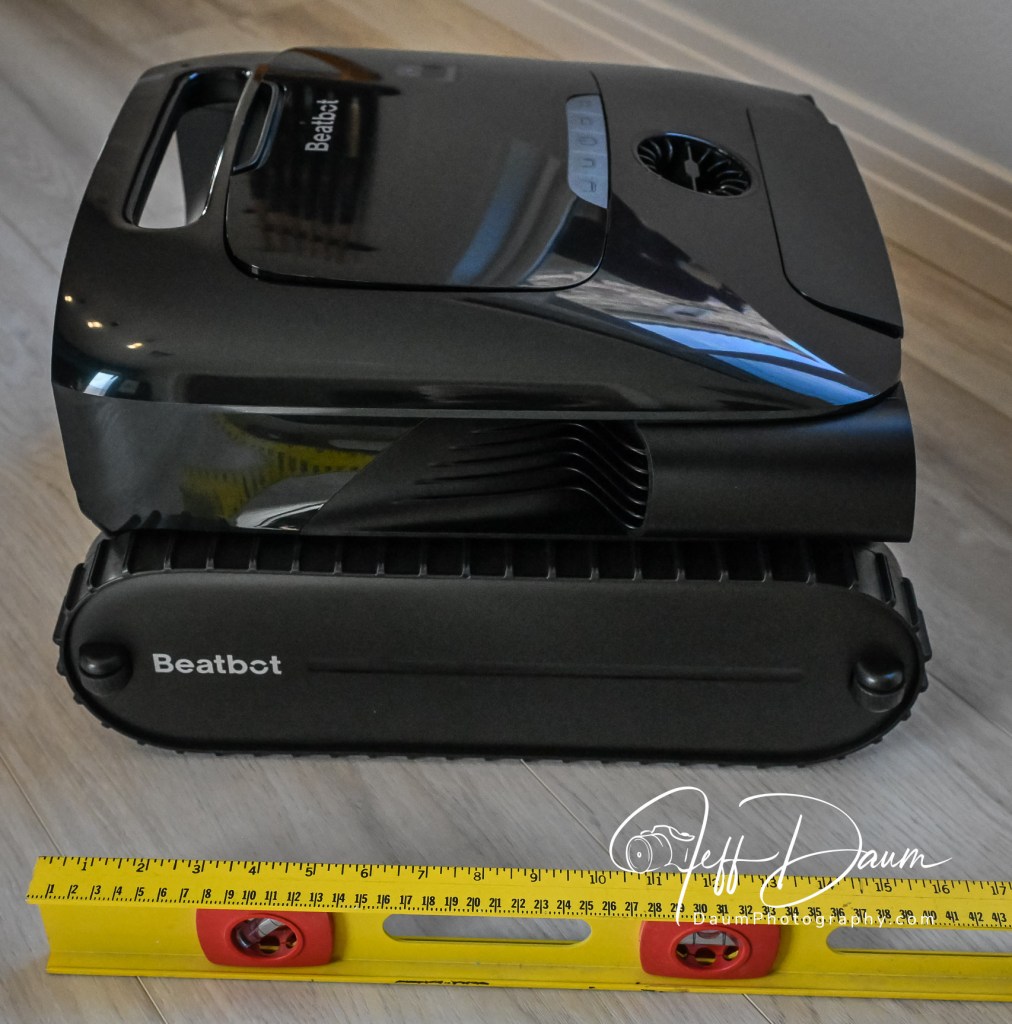
It comes with a 13,400 mAh Lithium Ion built in battery capable of easily cleaning a 4000 square feet pool in a single charge.  It is equipped with nine motors and generates 5500 gallons per hour of suction!  It has a removable two-layer filter basket with a 3.7 liter capacity.

The AquaSense 2 Pro has a dry weight of approximately 25 pounds (11.34kg) and an automated feature that empties the water as you remove it from the pool.

It lists for US$2,499, though from time to time they offer a discount directly on their site.

Preliminary Field Test Results

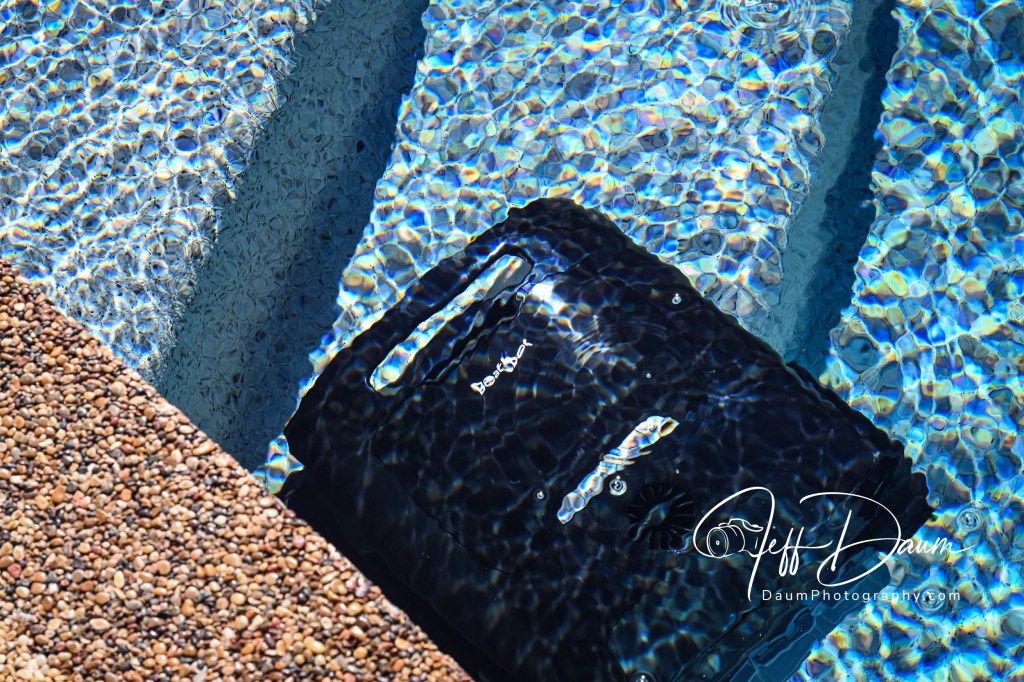
The manual tells you to (1) turn off your pool (pop-up cleaner, water input from the pool pump) (2) remove any objects including people 😊 floating in the pool that can interfere with the multiple sensors, and (3) place the robot on a level surface by the pool for 5 seconds to allow it to calibrate.  Then you are ready to ease it into your pool.  It will turn itself on shortly after it senses the water and begins the cleaning process depending on the mode you selected.

I set this unit up to use the Pro Mode.  There are four cleaning modes you can select ranging from Floor Mode- cleans the pool floor once, Standard Mode- cleans the pool floor, walls and waterline one-time, Pro Mode- cleans the pool floor, walls, waterline and surface one time, and Custom Mode.

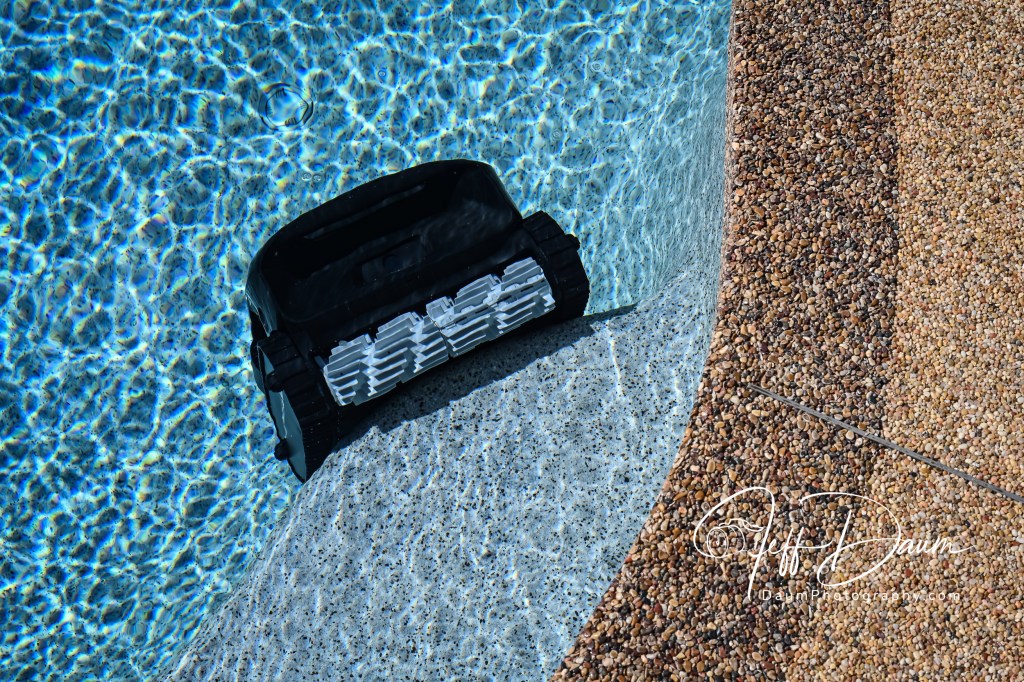
The testing was done in a pool I considered a challenge for it to clean: a 14,000-gallon salt water free-form pool with two sets of steps/landings and attached jetted hot tub.  The pool depth varies from about 3 feet to 5 feet, the walls curve to the bottom and the waterline has several boulders that jut down into the water.

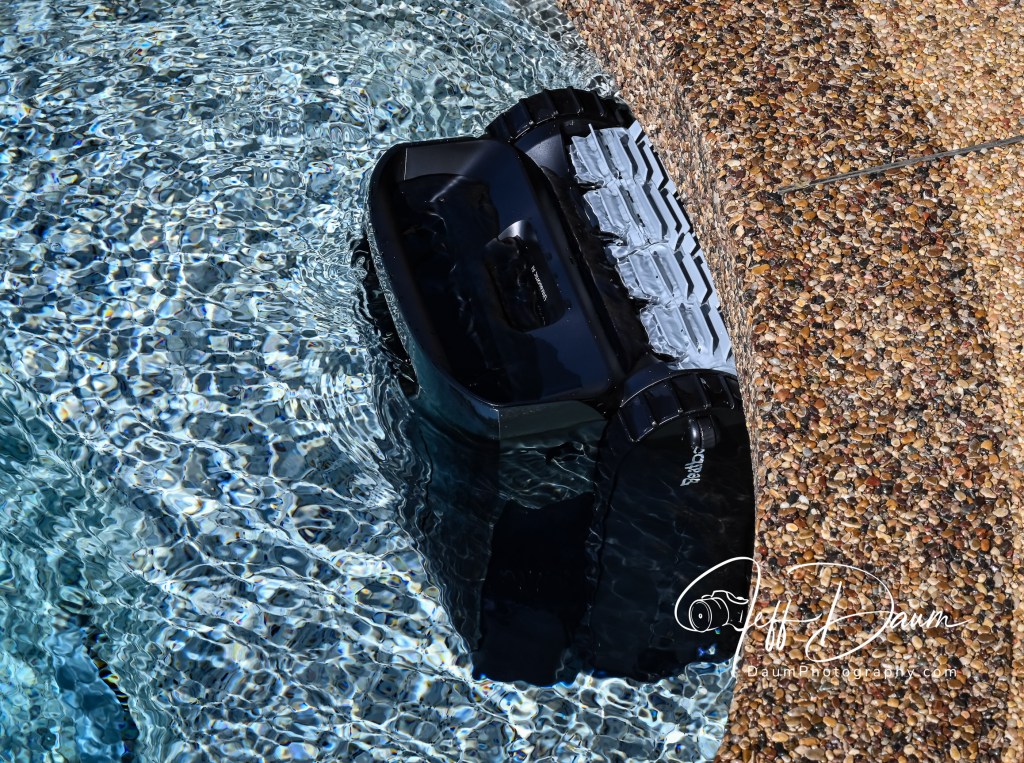
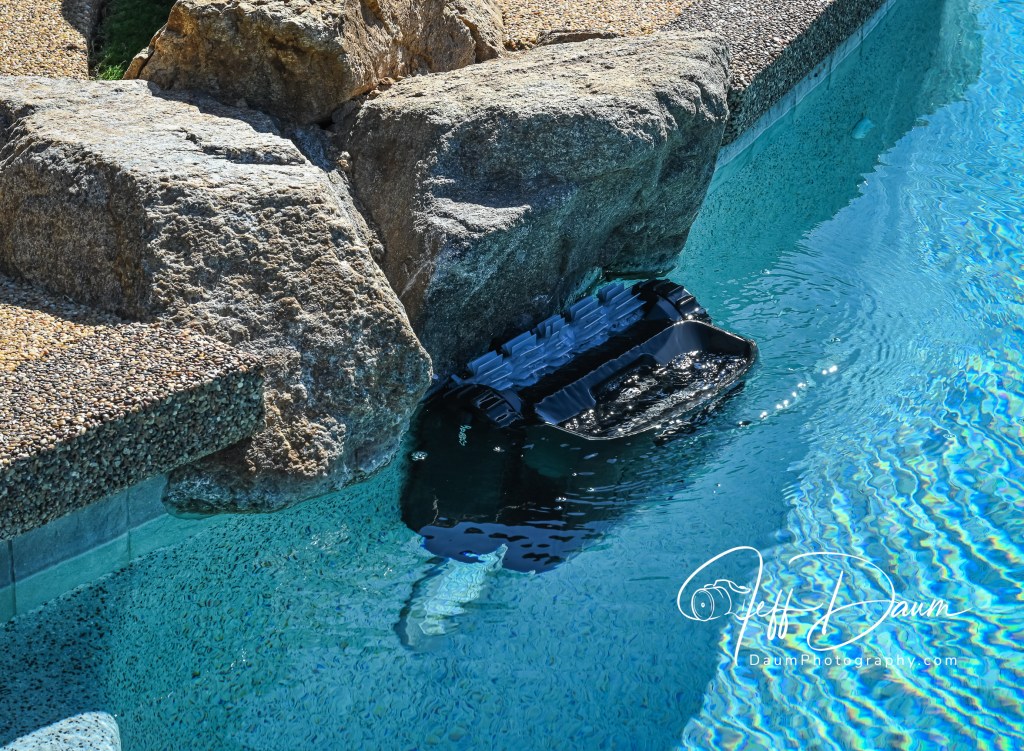
The AquaSense 2 Pro had no issue climbing the curved walls and even cleaning the bottom edge of the small boulders at several locations around my pool.  It thoroughly cleaned the pool bottom of debris including fine sand and wind-blown dirt.  It did a good job capturing leaves floating on the surface but had some problems with small lightweight flower petals.  They would tend to get pushed away from the intake of the AquaSense 2 by its wake.  Additionally, when the unit would back up or raise its front slightly, some of the captured petals would float back out.

It captured leaves, dirt and even fine dust blown into the pool as seen in the AqualSense 2 Pro dual bins.

I also tried the new feature on the app to remotely control the Beatbot when it was on the surface.  It was a trial-and-error learning process since the Owner Manual does not go into using this feature, nor does the app.  The app has a dial with arrows at the 12, 3, 6 and 9 o’clock positions that control the direction.  It also has two speed options along with a recall of the unit to dock at the edge of the pool.  Unfortunately, I did not find you could accurately control the direction by fine movements, but it has possibilities that perhaps will be enhanced with future software updates.

Here is a short video of the Beatbot AquaSense 2 Pro in action: https://youtu.be/m2gMIHInVx4

Summary

Like the earlier version I tested, this Beatbot AquaSense 2 Pro truly automates the pool cleaning process and does an outstanding job.  I did not find it significantly better than its predecessor the Beatbot AquaSense Pro, since both did excellent jobs in cleaning.  The paint job on the AquaSense 2 Pro is nicer and in fact changes perceived color depending on the lighting.  The app is improved as is the size of the battery over previous versions.

The ability to remotely control this unit is fun but not as practical as it should be.  I anticipate that it will be improved with future software updates.  I would also like to see a means other than using the hook, to bring the Beatbot back early if your plans change.  I realize this isn’t practical using WiFi or Bluetooth underwater, but perhaps some sonic sensor could be incorporated to allow this.  For example, slapping the water three times in rapid succession would trigger the Beatbot to return to the surface and edge of the pool.

To answer my leading question: I don’t think the Beatbot AquaSense 2 Pro is the paramount of pool robots.  Perhaps the Beatbot AquaSense 2 Ultra will be.  Stay tuned for my upcoming review of that!

Thanks for visiting and reading. If you have a question or like to comment, please feel free to enter it below!

McKinnon 25L Camera Pack: a crazy versatile backpack!

By Jeff Daum, Ph.D, PPA, Technology & Product Analyst

I have owned many backpacks designed to carry my camera equipment but have to say that none have proved to be as customizable and convenient as the McKinnon 25L Camera Pack.1

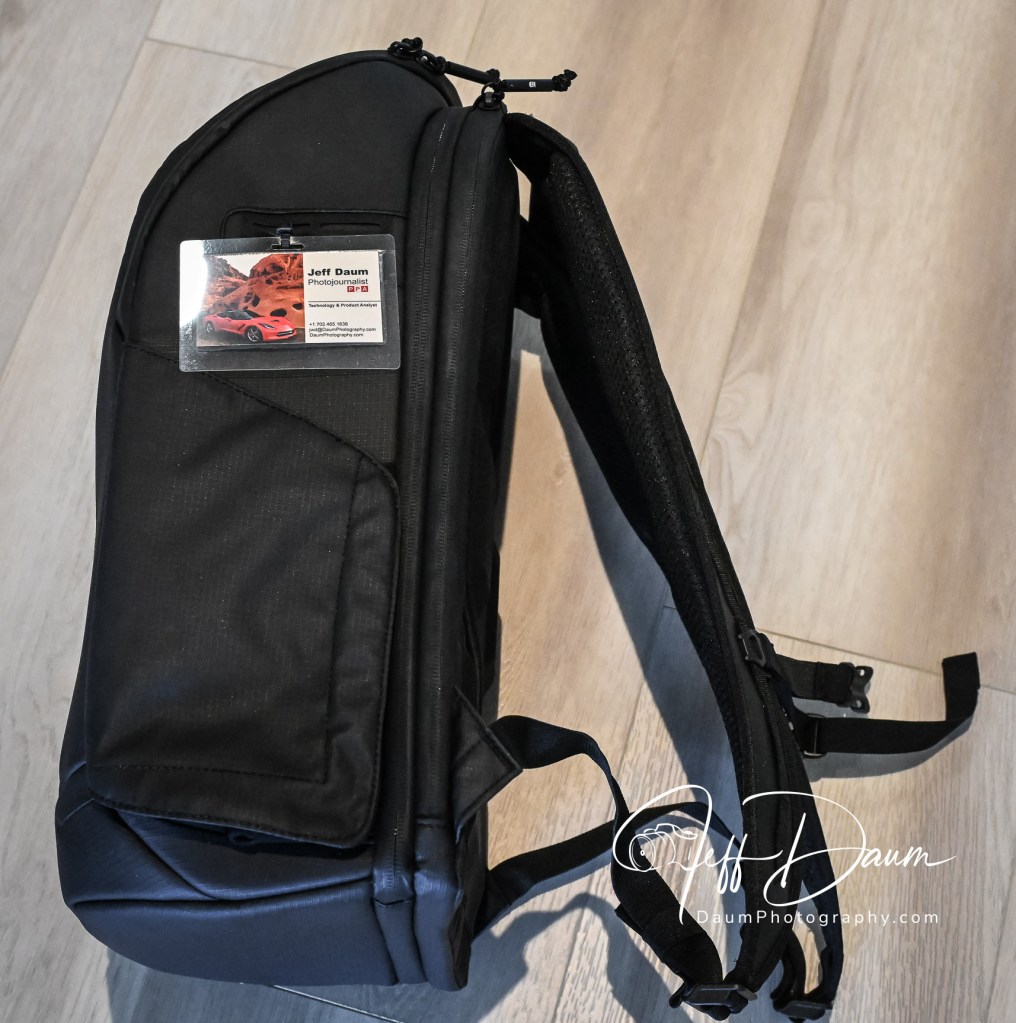
As soon as you take it out of its wrapper you are impressed with the quality of materials used and its fit-and-finish. The case is a combination of Polyester, Nylon and Polyurethane foam and has a water-resistant exterior.

Empty it weighs 3 pounds 3.4 ounces (1455 grams) and measures approximately 20 inches H x 12 inches W x 7.5 inches D (508 mm x 304.8 mm x 190.5 mm).  It has an easy-to-grip carry handle at the top of the back, along with heavily padded shoulder straps.  The straps are adjustable and include an adjustable cinch strap that can be used between the two shoulder straps.

The back side of the McKinnon is heavily padded to ensure the backpack is comfortable on your back yet allows for air circulation.  The center padded section can also serve as a strap to slip over another suitcase handle when you are not wearing the backpack.  Each side of the bag has a nice sized drink or item holder pocket.  The pocket is held flat until you use it by a magnetic flap.  There are also attachment slots near the top of the sides for optional gear straps to secure a tripod or monopod on the side.

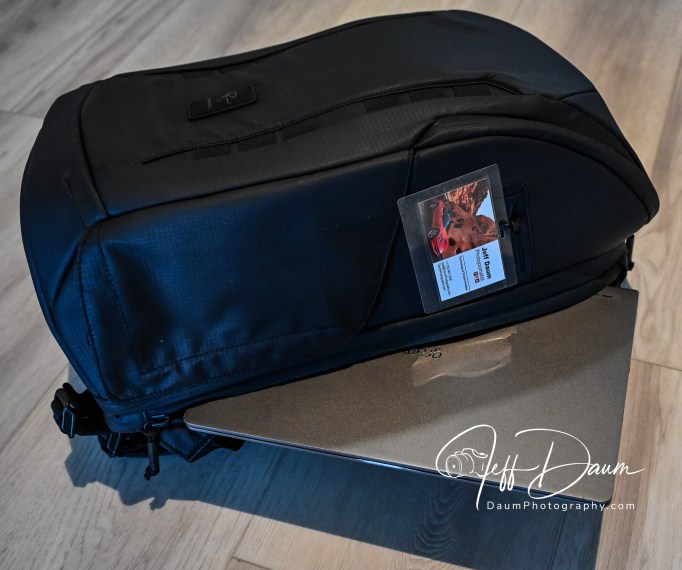
At the back of the backpack is a zippered laptop sleeve.  The zipper runs from the left side (looking from the back) of the top down the full height of the backpack. The laptop sleeve is the full width of the backpack. The next zippered compartment (from the back) fully unzips the entire back so that the backpack interior is completely accessible.  At that point you’ll see two mesh zippered compartments on the interior of the heavily padded back that can hold filters, paper, pens etc.

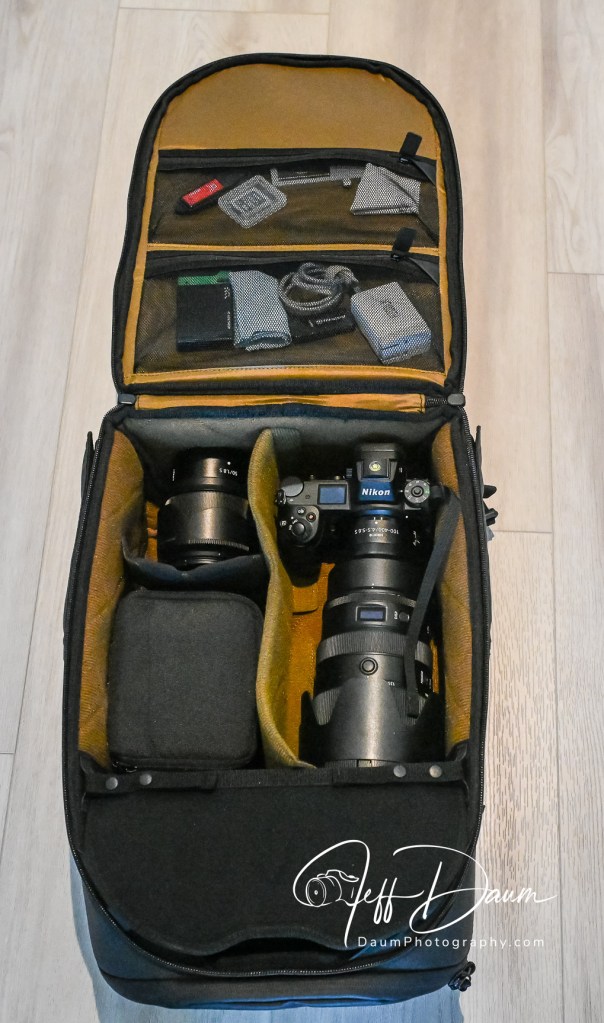
You will also see the Nomatic ladder system. That allows you to reconfigure the interior of the backpack.  The ladder easily divides the interior to have the top section, which is accessible from the outside top of the backpack separated off from the rest of the interior, to be either one third or two thirds of the usable storage space.  You can also fully remove the ladder system so that you have one large interior compartment.

If you leave the ladder system in you have access to the separated top section from the inside by a flap that is held magnetically closed.  That same section is accessible by a zippered flap on the front top of the backpack.  On either side of this top section are two small mesh pockets and there is also a larger zippered pocket in the top flap.

The front of the backpack is minimalist and has surprising rigidity.  The case can stand upright on its flat base.

Nomatic sells optional add-ons for the McKinnon 25L Camera Pack that enables a variety of internal configurations for your equipment.  These include a Divider Kit to create sections horizontally and vertically, Small and Large Cube inserts, Accessory Straps, Waist Straps, Memory Card Case and a Battery Case.  All except the straps, attach using Velcro and are easily positioned and removed as needed.  You can see these at their site https://www.nomatic.com/collections/all-camera/products/mckinnon-camera-backpack-25l .

Field Test

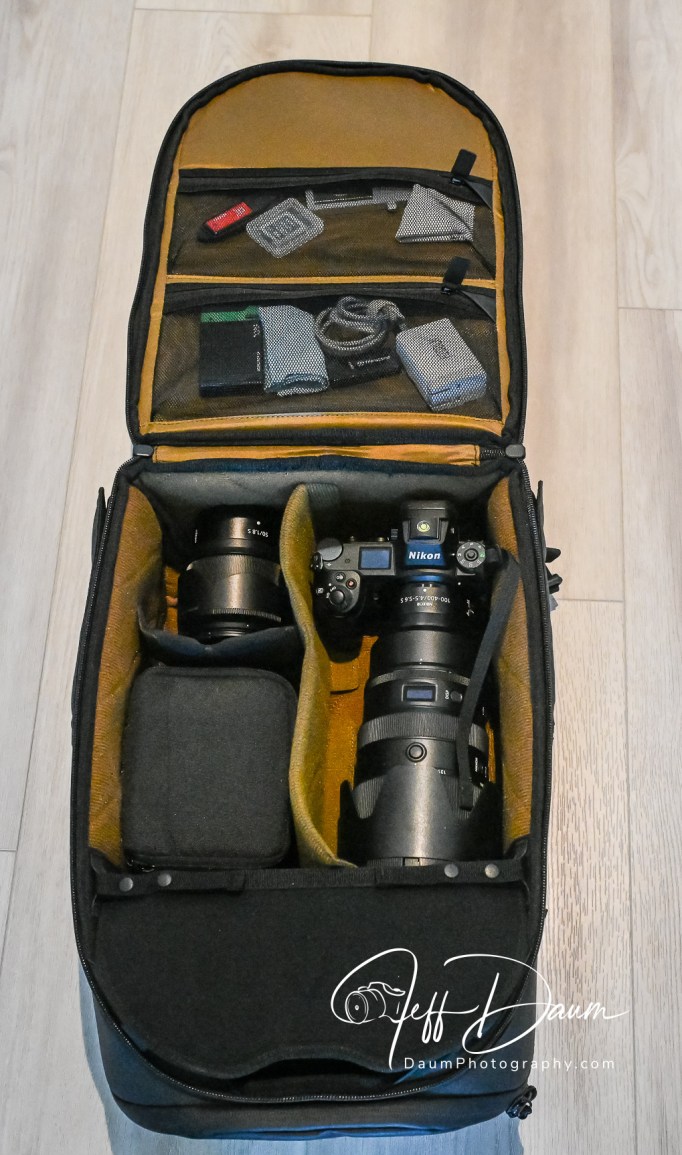
My initial impressions are that the McKinnon 25L Camera Pack is well thought out and highly practical for most photographers.  I set out with it fairly loaded at more than 20 pounds of equipment including two Nikon Z7s, one with a Nikkor 28-120 mm zoom attached and the other with a Nikkor 100-400 mm zoom attached, a Nikkor 50 mm lens, an LG laptop and miscellaneous chargers and cords.

It felt comfortable on my shoulders throughout the day.  The access to the cameras was easy.  I especially liked having my prime camera in the upper section accessible through the top flap.

Summary

If you are looking for a highly customizable camera backpack, the McKinnon 25L Camera Pack should be at the top of your list.  I give it five out of a maximum of five Mules!

  1. Product provided for review by Kyle Abarca, Nomatic Community Marketing Manager ↩︎

Thanks for visiting and reading. If you have a question or like to comment, please feel free to enter it below!

Put a ring on your vitals! A review of the Ultrahuman Ring AIR® -Smart Wearable Tech

By Jeff Daum, Ph.D, PPA, Technology & Product Analyst

Smart rings are becoming popular with several companies offering competing products including Utrahuman, Oura, Samsung, RingConn and Amazfit.  If you are not familiar with smart rings, think about taking most of the technology you find in smart watches and shrinking it down to fit in a normal sized ring.  Amazing, right?!

Of course, you might wonder why get a smart ring if you already have a smart watch?

The short answer is convenience and wearability.  Many smart watch owners don’t like wearing the watch while they sleep or go for a swim.  Smart rings nicely fill that void.  Also, smart watches tend to need charging every day or two, while smart rings can go four to six days before needing a charge.

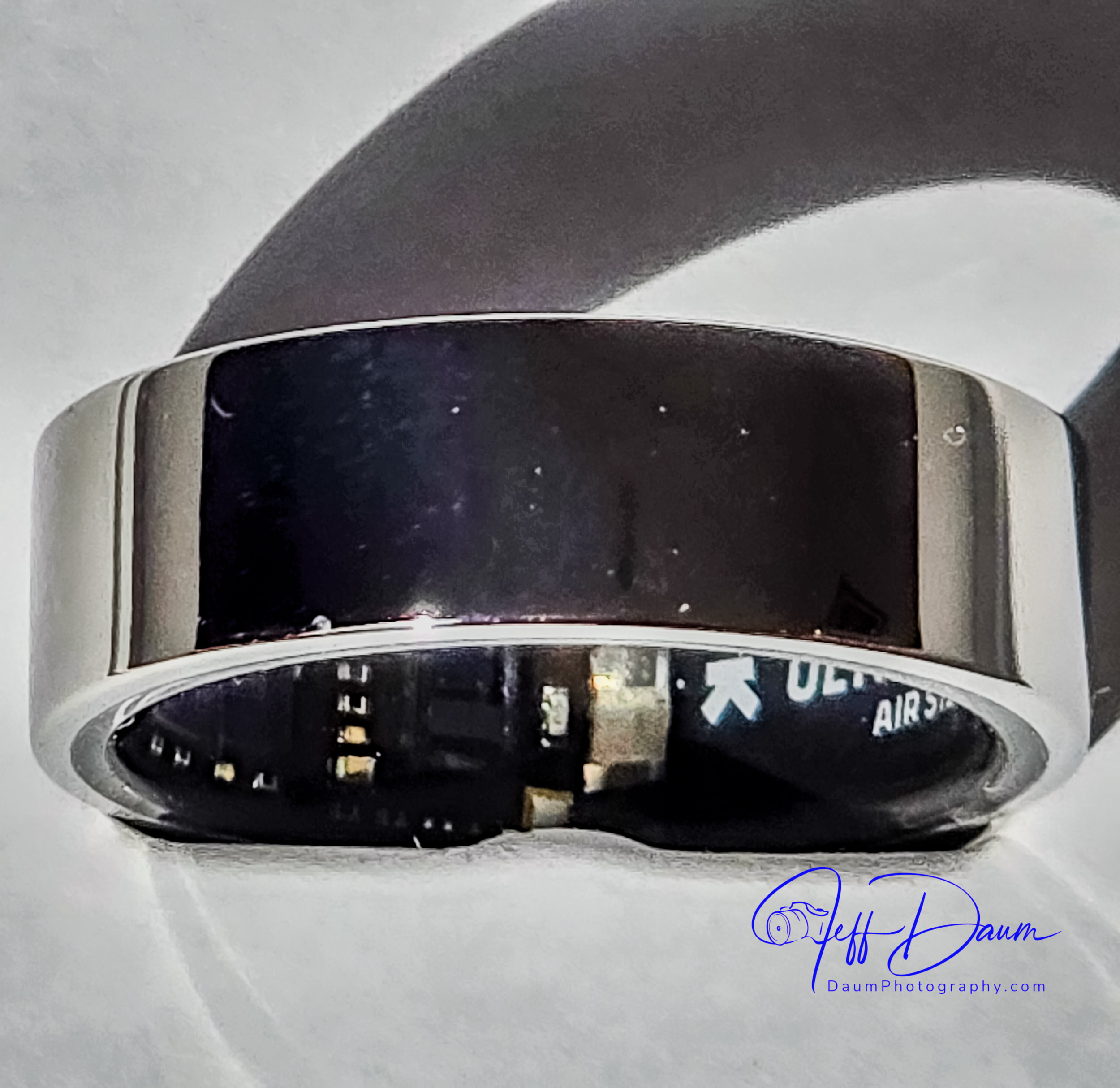
This review focuses on the Ultrahuman Ring AIR.  It weighs only between 2.4 and 3.6 grams (0.08 to 0.12 ounces) depending on the size you order! They recommend you wear the Ultrahuman Ring AIR® on either your index, middle or ring fingers, and it appears that many users opt to wear it on their index finger.  When you place an order they offer to ship you a free ring fitting kit to ensure you select the correct size prior to finalizing your order.

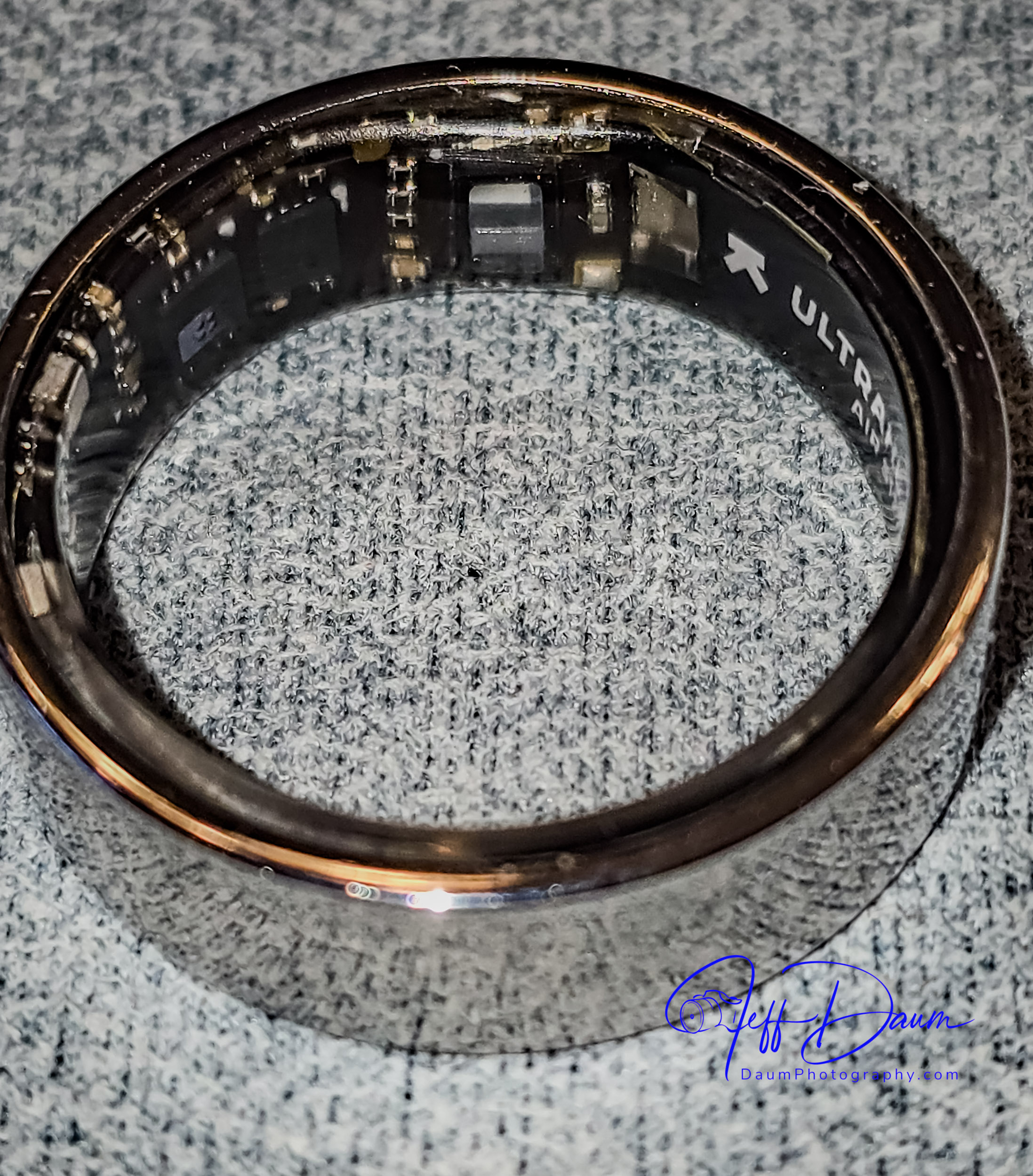
The Ultrahuman Ring AIR currently comes in five colors: Raw Titanium, Aster Black (gloss black), Matte Grey, Bionic Gold and Space Silver.  All color versions have an outer shell made from high grade Titanium reinforced with a Tungsten Carbide Carbon coating.  The inside of the ring is coated with a transparent medical-grade hypoallergenic epoxy resin covering all its electronics.

The ring itself is elegantly simple, what I would call almost a Bauhaus design.  There are no displays, design or LEDs on the outside, but you can see some of the circuitry on the inside through the epoxy resin and occasionally a LED lighting up.

The ring contains several sensors including Infrared Photoplethysmography (PPG) [now that is a mouthful: PPG is used to detect blood volume changes] sensor, a non-contact medical-grade skin temperature sensor, 6-axis motion sensors, Red LEDs (heart rate monitoring and oxygen saturation), Green LEDs (heart rate monitoring) and Infrared LEDs (heart rate monitoring).  Once you download the free Ultrahuman app these sensors communicate with your iPhone or Android automatically through Bluetooth Low Energy (BLE5).

The ring uses a permanent rechargeable LiPo battery that can last up to six days and recharges on their proprietary ring charge stand in two to three hours.

The ring is rated waterproof up to 100 meters (about 328 feet) for up to 12 hours.

Currently the rings are manufactured in India, and delivery is relatively fast from the time of the order.  The Ultrahuman Ring AIR costs US$349 including delivery.

All tracking and data (mentioned above) are provided as part of the purchase price with no monthly or subscription fees.  This sets Ultrahuman apart from many competitors who charge post-purchase subscription fees for the same types of information.

There are some third-party apps that they call PowerPlugs which can be added to Ultrahuman’s app.  Some are free like Cycle & Ovulation, Vitamin D and Smart Alarm while others charge a monthly fee like Cardio Adaptability.  Ultrahuman periodically adds both free and third-party subscription-based apps.

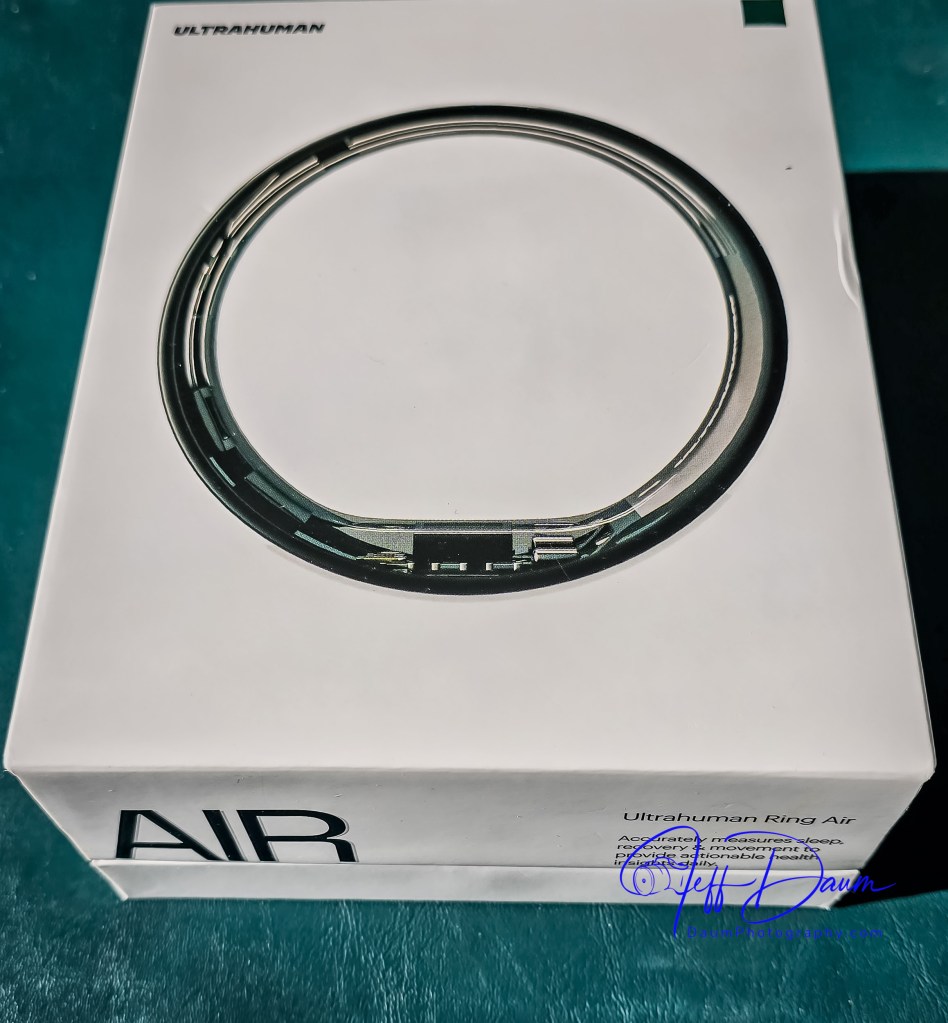
Here is what you get with your order

Ultrahuman has one of the best post-order communication processes I have experienced.  After acknowledging and confirming my order, I received daily progress updates and then shipping status updates.  From order acknowledgment to delivery was under a week.

The Ultrahuman Ring AIR arrives nicely protected in a box that includes the ring, a proprietary ring charging base with a USB C to C cable, a How to Charge booklet, a User Manual, a Getting Started Guide and a humorous Hello Cyborg card (a nod to a Human Being whose powers are enhanced by mechanical parts and/or computer implants).

After downloading the Ultrahuman app and charging my ring I went through the very easy pairing process.

Initial Experience

I have worn the Ultrahuman Ring AIR continuously except for one charging period, for a little more than a week at this point.  The first impression was how smooth and comfortable the extremely lightweight ring felt.  I choose to fit and wear the ring on my index finger and virtually never notice that it is there (unless I look at my hand 😊 ).  The finish and quality match high-end jewelry.

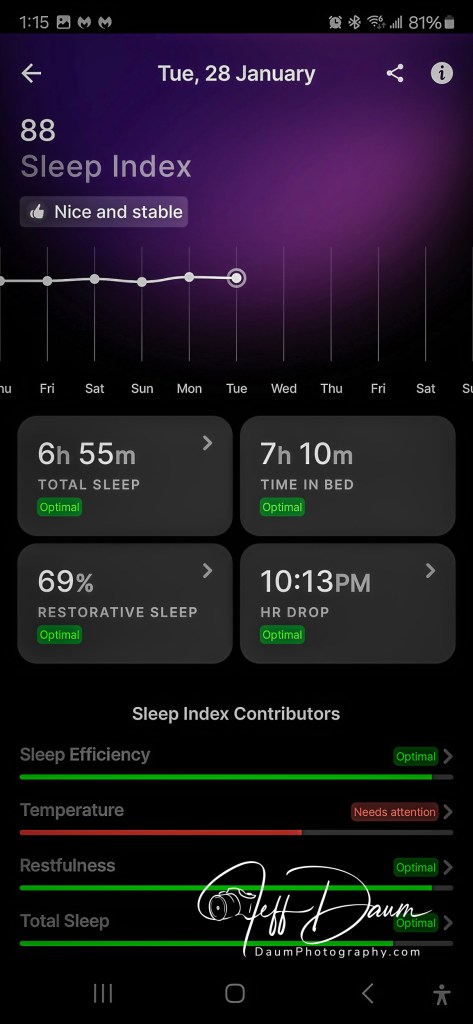
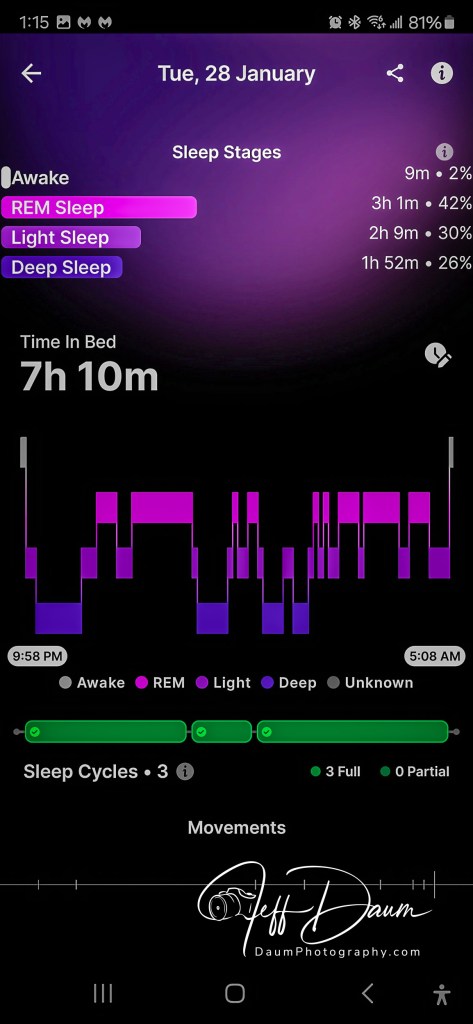
I rarely used the sleep data from my smartwatch, primarily because I do not like sleeping with it on my wrist.  Conversely, I find I check the Ultrahuman app for my prior night’s sleep data every morning.  As shown on the following sleep screen shots, there is a good bit of information available.  In many cases there is a “>” or “i” icon next to the data that leads to more details.

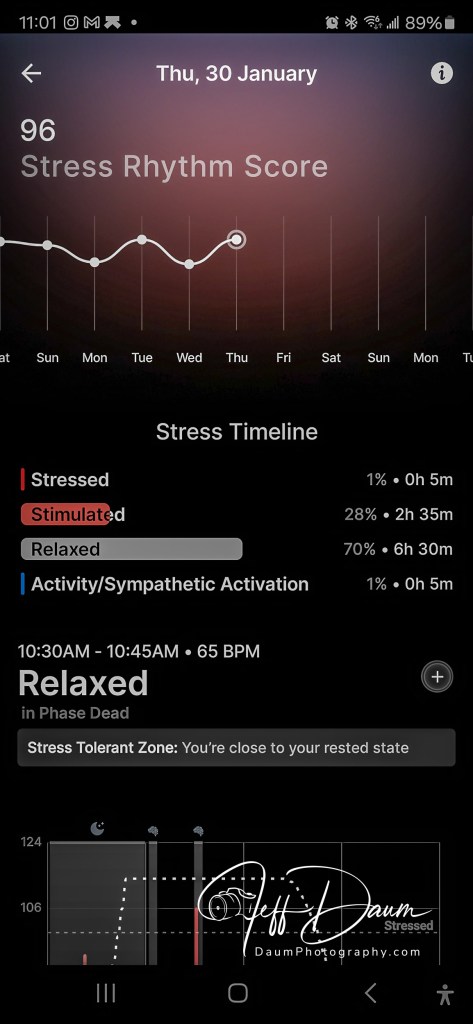
There are a lot of data and charts available to you in the Ultrahuman app, for example, here is the opening information, skin temperature, stress, heartbeat and relaxation views.

The ring automatically recorded my daily walks but seemed to miss most of my daily morning exercise routine.  The 35-to-40-minutes routine is a mix of stretches, isometric and weights exercises done as soon as I get out of bed.  Only one time did the app ask if I just exercised and captured related data. 

Preliminary Thoughts

I find the amount and scope of data generated by the Ultrahuman Ring AIR quite amazing and worth exploring.  I believe over time it can prove useful in refining some daily activities.

I would also like the ring’s ability to autodetect workouts to be enhanced and if that is not feasible, at least an easy way to trigger related data collection at the start of a workout session.

While several people have commented on seeing the Ring AIR on my hand and liked the look, personally I would prefer some visual texture options similar to what Ultrahuman is introducing with their Rare luxury rings.  Or possibly, some interchangeable very thin ring surface graphic design covers.  Aesthetically I think it would make the Ring AIR fit in better when one is more formally dressed.

All in all, while I am not sure I now feel like a cyborg I have been pleasantly surprised with the comfort of the Ring AIR as well as the detailed data the app provides.  Here is a link to their site https://www.ultrahuman.com/

Thanks for visiting and reading. What are your thoughts on the Ultrahuman Ring AIR? If you have a question or comment, please feel free to enter it below!

Is it a car, a UFO or…? First look at the Aptera: The Future of Electric Solar Vehicles

By Jeff Daum, Ph.D., PPA

This is an initial look at the Aptera all electric solar vehicle presented at the 2025 CES (Consumer Electronics Show) in Las Vegas, Nevada. 

Let me begin with a full transparency statement: I was so impressed with the Aptera, its cutting-edge technology and dual CEO team direction and commitment, that I have placed and received confirmation of a pre-order future variant all-wheel drive Aptera.

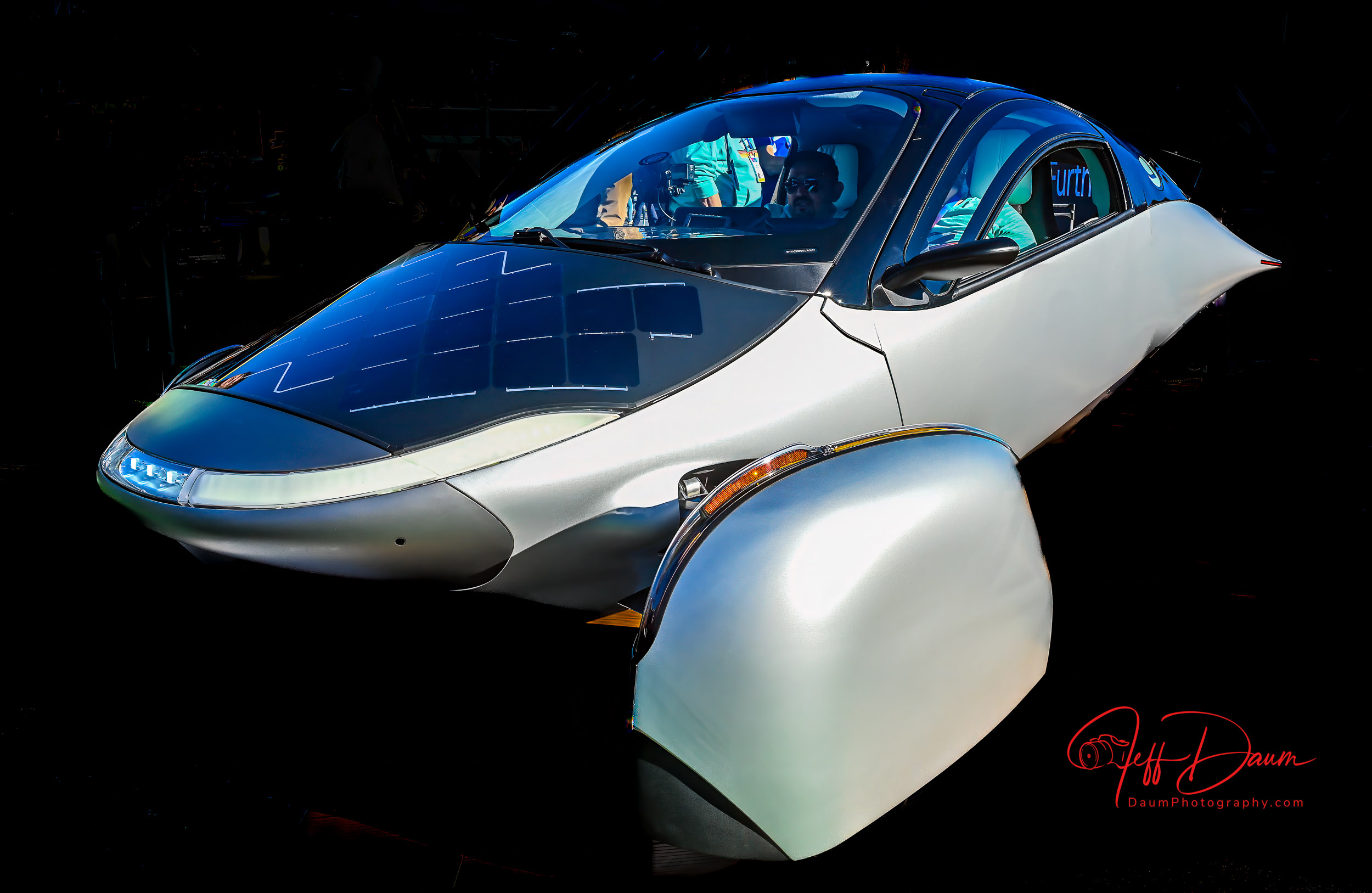
The first thing that you notice is its unique aerodynamic shape.  In fact, because of this shape it has the lowest coefficient of drag of any road vehicle at approximately 0.15!  The body was designed in concert with Pininfarina and is out of carbon fiber.  It is manufactured in Italy and shipped to Aptera Motors facilities in Carlsbad, California.

Probably the next thing you will notice is that Aptera has two front wheels and one rear wheel- an autocycle.  It is classified by the DMV as a motorcycle, specifically a Trike with full enclosure.  This means that it is registered as a motorcycle but you will not need a motorcycle driver’s license nor need a helmet.

Like most sports cars, the interior includes side-by-side two passenger seating.  It has all the normal accouterments: safety belts, frontal driver and passenger air bags, a steering wheel, accelerator and brake pedals, ac and heat, etc.  In front of the steering wheel is a horizontal screen that continually shows full views of the right and left side of the Aptera virtually eliminating any blind spots.  To the right of the steering wheel is the infotainment and information display.  The electronic rearview mirror shows the unobstructed view behind the Aptera (from a camera on the roof).  There is also a backup camera located adjacent to the license plate.  The plate holder slides to the side, revealing the NACS charging receptor.

Aptera has bespoke solar cells on the hood, dash and roof capable of generating 700 watts of electricity.  Each cell is incredibly thin, lightweight and glass covered yet capable of being bent to conform to the respective body shape.  According to their website details, an individual cell could be cracked yet continue to generate power because of its unique wiring. 

According to Aptera’s website, “the Launch Edition uses 21700 NMC 811 cylindrical lithium-ion cells, known for their high energy density and long life. The 44 kWh battery pack contains 2,304 cells, delivering 400 miles of range.” [ https://aptera.us/article/what-batteries-are-inside-aptera/ ]

I had the pleasure of talking with Chris Anthony, Founder and CEO Aptera Motors.

Chris image courtesy of Aptera

  Chris’ partner, Steve Fabro, also carries the title of Founder and CEO.

Steve, image courtesy of Aptera

I started off asking Chris about Aptera’s design elements to ensure safety, Here are highlights from this interview:

  • Regarding Aptera’s safety: Able to do things with carbon fiber that steel and aluminum vehicles can’t do.  Able to add protection such as great frontal impact strategies, offset frontal, side impact.  Crash energy is diverted from the passenger area downwards to the well protected battery and frame.  Aptera has front and rear crumple zones. Aptera has front and rear crumple zones and a carbon fiber roll bar.
  • Suspension dynamics: even though it is a three-wheel vehicle, because the heavy battery is mounted so low, it has almost the exact same suspension dynamics as a VW Golf.
  • Done lots of track testing and skid pad stuff, curb strike angles at forty-five miles per hour, pothole tests every which way you can think of with the vehicle, and because the battery weight is so low it is extremely stable.
  • We will be running Crash Tests shortly.
  • It has better ground clearance than a Honda Civic with six inches to the belly and five and one-quarter inches to the wheel pans, and ingress and egress a couple of degrees better than the Honda Civic.
  • Regarding stability, especially with the large area by the rear wheel, it has a low-profile mid-section.   We have simulated cross winds up to 115 mph and it performs better than other vehicles because flat sided vehicles are much more susceptible to the winds.  There is no float created because it is basically a downforce vehicle that creates a bit of downforce, though we attempted to keep it as neutral as possible.
  • The tires are 195-55 R16 low rolling resistance, specially formulated for them by Hankook Tires.
  • The ABS and airbags (passenger and driver frontal airbags) are currently undergoing calibration.
  • It has DC Fast Charge, Level 2 and regular 110 outlet capability.  The 110-volt outlet will provide 150 miles charge overnight.  The Aptera uses one quarter the energy of the average EV, meaning we charge four times faster.  A DC Fast Charger will put 500 miles an hour into it, a Level 2 will put 60 miles per hour and a regular outlet will put 13 miles an hour into it.
  • Currently we have more than 50,000 preorders from across 115 countries, had the largest Crowd Funding in the industry with 20,000 individual investors, and now working on an IPO and hope to have production vehicles in people’s hands by the end of the year.
  • No dealerships, but have distribution centers around the world, and working with some Tribal communities in states that don’t like the lack of dealerships similar to what Tesla does.
  • In sum, the Aptiva is much more akin to a formula one car than anything else on the road. It is the penultimate in aerodynamic efficiency and has a carbon fiber chassis through and through.  It is an interesting mix to try an be the most efficient vehicle in the world but also have really extreme performance, when you look at the how the vehicle is constructed and how we achieve 100-watt hours per mile and still keep safety paramount, and get all the solar power out of it we need. The Aptera is the most efficient vehicle in the world but still sporty and very nimble.

Some addition information from the Aptera website https://aptera.us/  :

  • the core of our design is a safety cell crafted from Carbon Fiber Sheet Molding Compound (CF-SMC), which is both ultra-lightweight and stronger than steel, paired with metallic subframes that absorb impact energy.
  • Aptera’s body features a specialized composite structure known as Body in Carbon (BinC), primarily constructed from Carbon Fiber Sheet Molding Compound (CF-SMC) and Glass Sheet Molding Compound (SMC). CF-SMC is a lightweight material that utilizes a random arrangement of short fibers, allowing for the creation of intricately shaped parts with significantly higher stiffness and strength compared to standard SMC.
  • Aptera features an unequal-length dual wishbone suspension in the front and a double trailing link suspension in the rear. This advanced suspension system provides a balanced combination of stability, control, and ride comfort, allowing for smooth handling across diverse terrains.
  • The largest single component is the carbon fiber tub.
  • Use of SMC side panels on the body that won’t dent when hit.
  • Front wheel covers rotate up to allow access to tire valve stem and rear tire has a small access hole for the same purpose.
  • At Aptera, we’re redefining the repair experience by making it accessible, straightforward, and affordable. Whether you’re repairing your vehicle yourself or working with a local shop, Aptera will provide detailed documentation and make spare parts easy to order. Unlike typical processes where maintenance information and parts access can be limited, we believe in empowering owners with everything they need to keep their vehicles in top condition.
  • The Launch Edition’s dimensions are optimized for aerodynamics and stability. The vehicle measures 15 feet (4.56 m) in length, 7.3 feet (2.22 meters) in width, and stands 4.6 feet (1.4 meters) high, with a wheelbase of 9.2 feet (2.82 meters).
  • Aptera has integrated the Vitesco Technologies’ EMR3 drivetrain—a high-voltage axle drive that combines a permanent-magnet synchronous e-motor, inverter, and reducer in one compact unit. 

Final thoughts:

I had a chance to sit in the Production Intent Aptera and found the seats very comfortable.  The interior is airy with great outward visibility.  The ‘double knock’ to open the door or trunk is a fun twist- there are no outside door handles.  The trunk is quite spacious, easily carrying two regular golf bags or even, apparently, with the seats folded forward, room to lie down if you take the Aptera camping.  There is also a small compartment under the regular rear floor that can be used to store charging cables or other supplies.

I am particularly impressed with Chris and Steve’s vision and approach.  They are continually striving to use their own and their team’s knowledge, seek and use outstanding third party input and resources, and harness AI to refine the Aptera to be highly efficient, practical and fun.  The use of Open-Source Software and Right To Repair sets the Aptera apart.

This is hopefully Part 1 of a multipart Aptera review.  Stay tuned for Part 2: a factory visit and first drive…

Thanks for visiting and reading. What are your thoughts on the Aptera? If you have a question or comment, please feel free to enter it below!

The Innovative Neakasa Magic 1 Vacuum Steamer

By Jeff Daum, Ph.D., PPA

The Neakasa Team provided me a sample of their new Neakasa Magic 1 Vacuum Steamer to review.  Typically, portable clothes steamers are not something that most people get excited about. 🙂 This Magic 1 is truly different.

A Closer Look at the Neakasa Magic 1 Vacuum Steamer

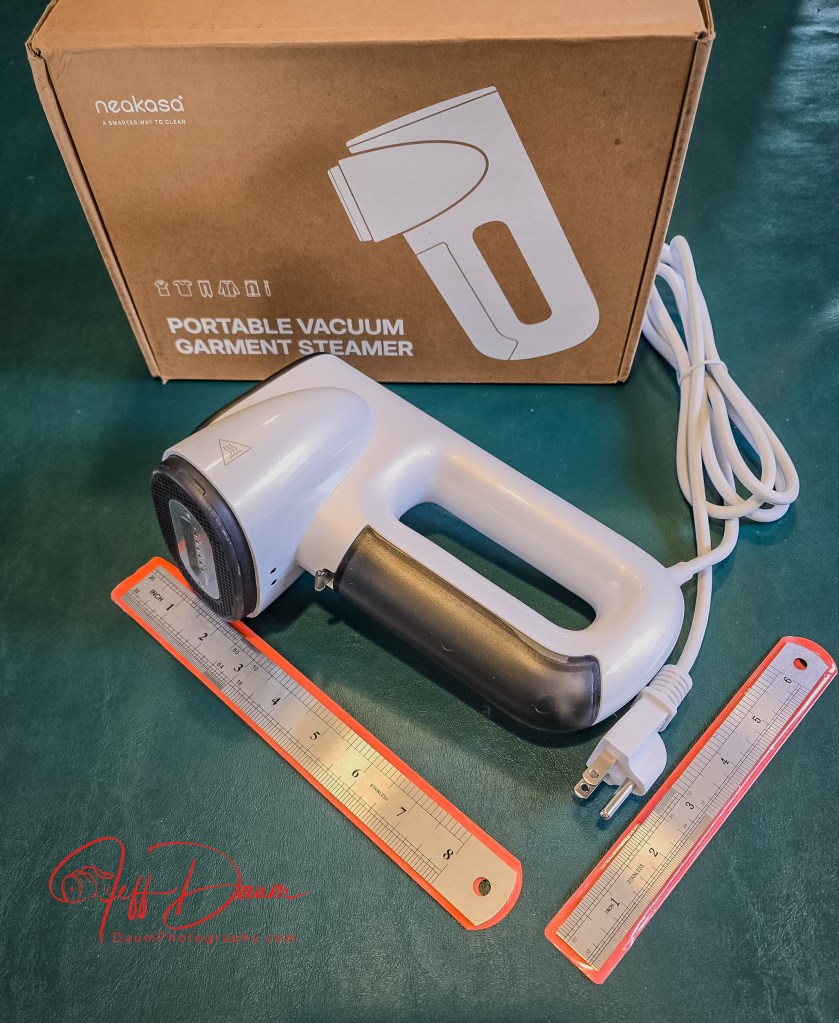
The Magic 1 is about the size of many portable steamers at approximately eight inches in length.  It weighs two pounds (915 g) dry.  The non detachable power cord is almost six feet long.

It comes with a “5 Tips to ensure a smooth first use” guide as well as parts/buttons explanation.  Water goes into a removable container located in the front of the handle and holds approximately 3 ounces (100 ml).  They recommend distilled or purified water.

The innovative difference that sets the Neakasa Magic 1 Vacuum Steamer apart is the built-in vacuum function.  You can turn this on or off instantly.  In essence, what this does is sucks the fabric to the face of the Magic 1 while it steams it.  This, in theory, should enhance the steam’s ability to smooth out wrinkles.

Preliminary Use

After filling the Magic 1 with water, it came up to operating temperature within about 30 seconds.  I decided to try it out on several different types of fabric, using the vacuum function turned on.

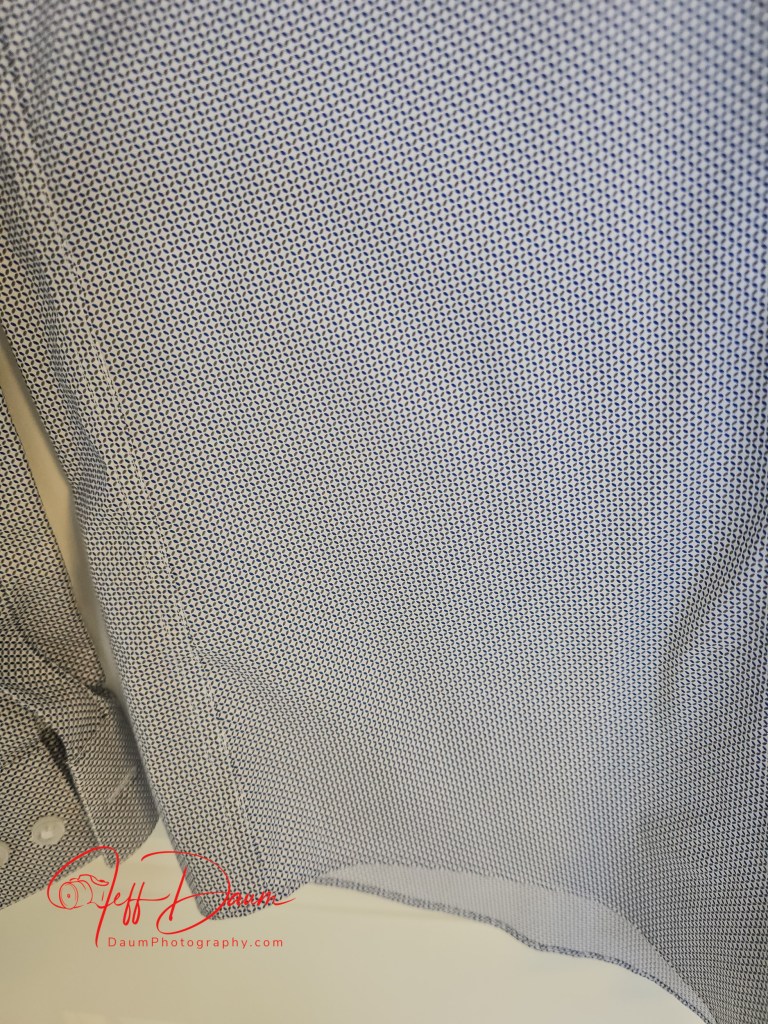
First was a cotton shirt.  Here are before and after images:

As can be seen, the Magic 1 did a commendable job in eliminating wrinkles.  It was very easy to do.  I followed their suggestion to let the garment hang naturally while moving the Magic 1 top to bottom.

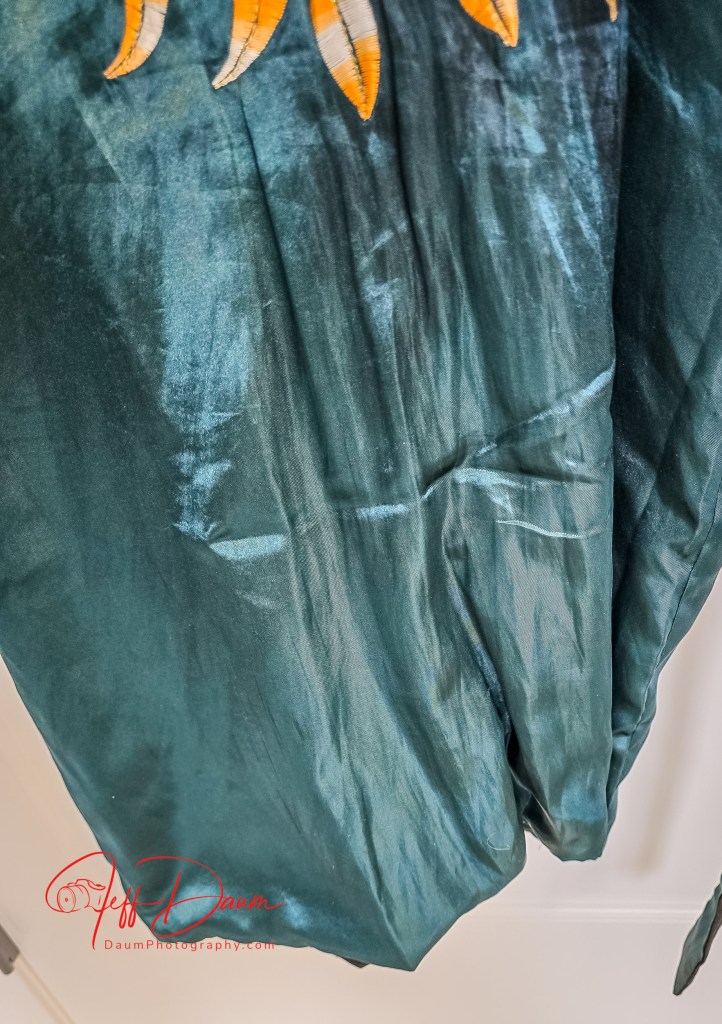
Next I tried it out on silk.

It glided smoothly across the silk and quickly reduced the wrinkles.  Because the fabric was so light weight I found it worked better if I held the fabric flatter (in the horizontal plane) with one hand while moving the Magic 1 top to bottom.

A pair of jeans

This heavier fabric required more pressure to somewhat eliminate creases, though the vacuum had no problem keeping it on the steamer face.

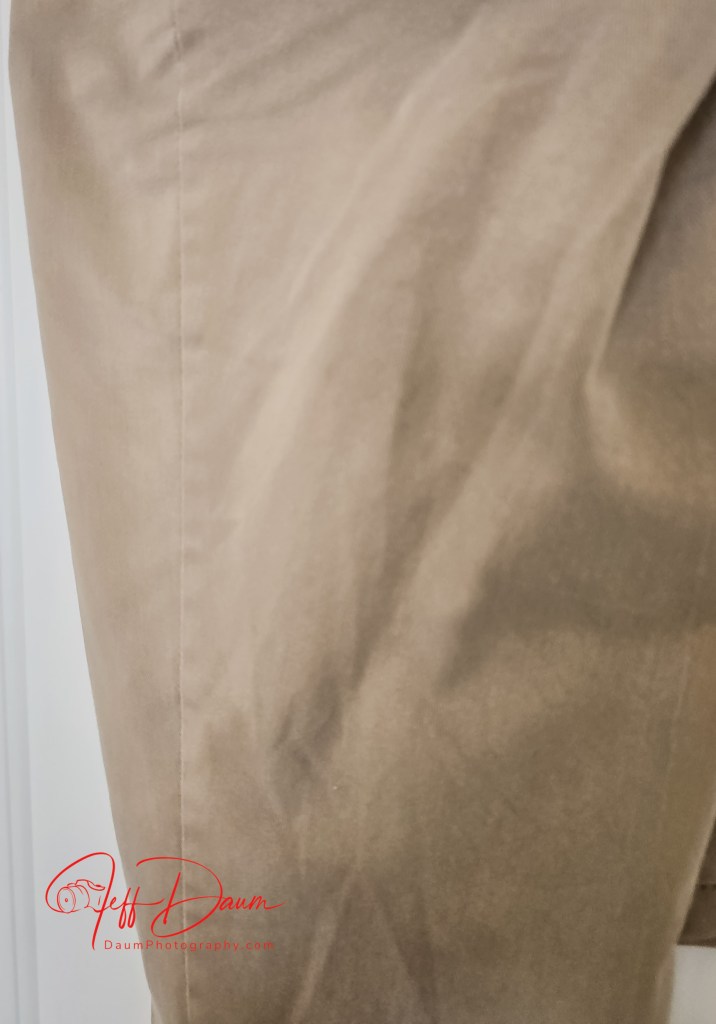
Khakis was my last test.

The Magic 1 did a very good job eliminating wrinkles on these pants.

Preliminary Conclusions

The Neakasa Magic 1 Vacuum Steamer does set itself apart from typical handheld steamers. It is easy to use and a comfortable weight.  It quickly comes up to steaming temperature and the vacuum smoothly suctions all types of fabric to the steam face.

This vacuum function results in more effective and easier ‘de-wrinkling’ as compared to using a typical handheld steamer.  Another bonus according to the manufacturer, is that the vacuum function removes 99.9% of bacteria and dust mites.

My only suggestions for future iterations are very minor: to increase the water capacity and increase the power cord to eight or ten feet.

Thanks for visiting and reading. If you have a question or comment, please feel free to enter it below!

BlackVue DR770X Dashcam Review: Security Redefined

By Jeff Daum, Ph.D., PPA

BlackVue represents some of the best dashcam systems on the market.  You can see my reviews of previous models at for the DR970X https://insight.daumphotography.com/2024/02/02/blackvue-dr970x-2ch-plus-and-dr970x-2ch-lte-plus-dash-cameras-field-test/ and https://insight.daumphotography.com/2020/07/11/product-review-blackvue-dr900s-2ch-field-test/ for the DR900S.  This review focuses on BlackVue’s new DR770X Box-3 channel Pro version.  It is primarily designed for the individual who wants up to three cameras- a front facing, rear facing and interior facing dashcams, and a system that is designed to provide protection from someone else getting to the recording memory card or attempting to physically remove the connections to each of the dashcams.  You might want this added security, for example, in a ride share or taxi vehicle.  Of course, the DR770X can be used in your own vehicle even if you don’t need the added security of a tamper proof set up.

The first thing you’ll notice is that the front facing DR770X is physically a lot smaller than most other BlackVue dashcams.  Specifically, the DR770X is approximately 3 inches (76mm) long compared to their DR970X and DR900S at approximately 4.7 inches (118.5mm) long or the even longer DR970X-2CH LTE Plus at approximately 5.4 inches(137.6mm).

The lockable main box comes with a large Velcro pad on the back so that it can be positioned out of sight but convenient to remove to gain access to the microSD card.

While BlackVue’s marketing states the DR770X has a faster lens at f/1.7, it depends on what other dashcam they use in the comparison: The DR970X Plus also has a f/1.7, but the DR970X’s is f/2.8.

The DR770X has a narrower coverage area with Diagonal 139°, Horizontal 116°, Vertical 61° for the front camera and Diagonal 115°, Horizontal 95°, Vertical 49° for the rear facing camera.  The DR970X has front: Diagonal 155°, Horizontal 130°, Vertical 70° and rear: Diagonal 139°, Horizontal 116°, Vertical 61° while the DR900S had front: Diagonal 162°, Horizontal 136°, Vertical 77° and rear: Diagonal 139°, Horizontal 116°, Vertical 61°.

The DR770X is a 4K dashcam with Sony STARVIS, the DR970X and DR900S an 8-megapixel CMOS Sensor.

The DR770X Pro has an increase in the event buffer recording time to 10 seconds up from 5 seconds compared to prior models.  Events are when the system senses a bump, hard turn, crash, etc., and automatically mark the recording as such preventing it from being overwritten when the MircoSD card is full.

Note: prior to setting up your DR770X system in your vehicle, I suggest you jot down the unique password that is on the camera behind the tamper proof end cover.  You will need this if the auto-find in their app doesn’t locate and load your cameras on your initial set up.

All three models incorporate a built-in microphone in the front facing camera that can be set to always record interior sounds (voices, turn signals, music, etc.) or be turned off.  They also include a speaker that lets you know the system is functioning when it turns on.

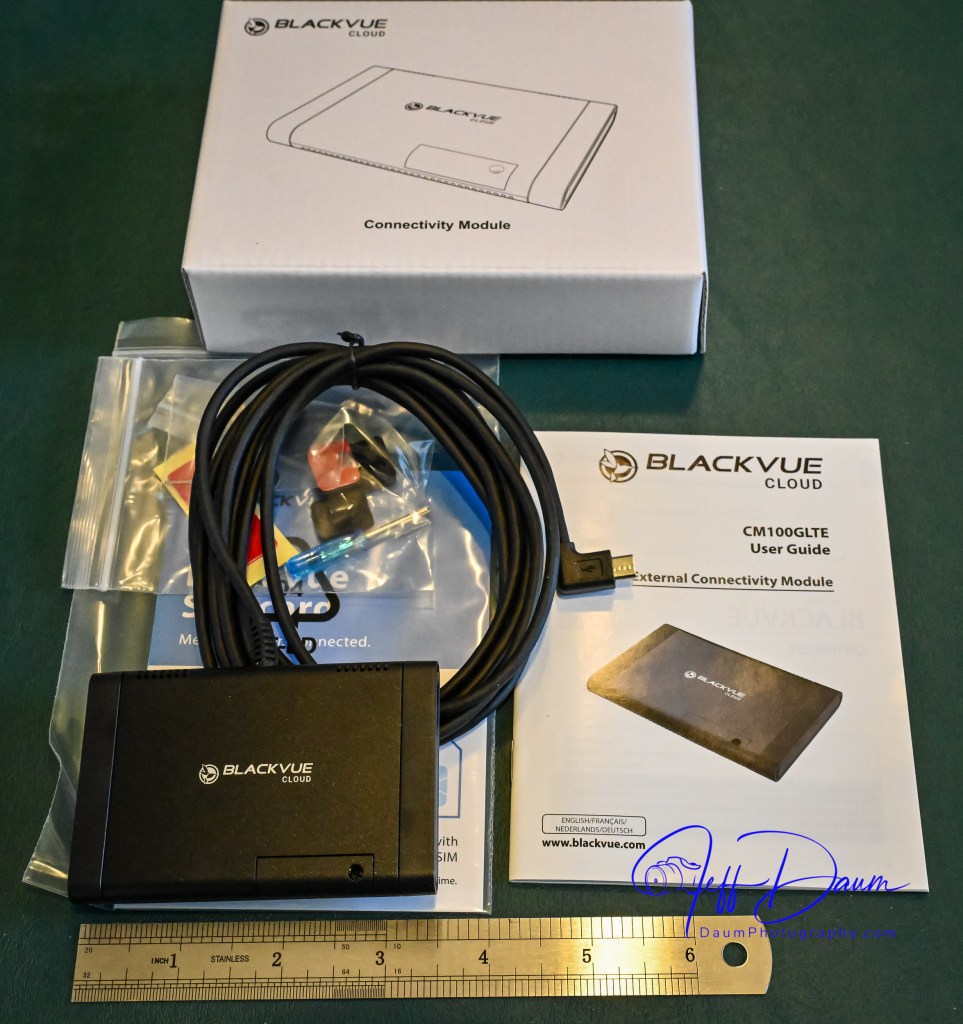
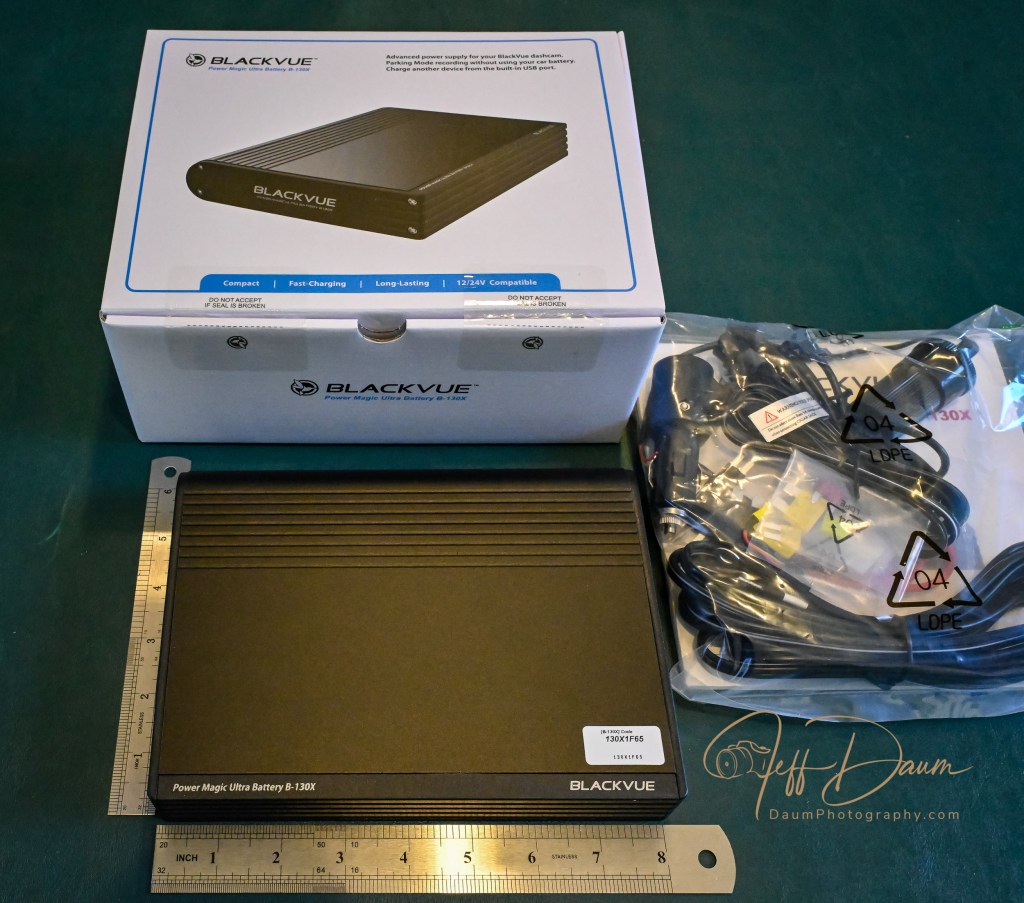
At the same time I tested the DR770X Box-3 channel Pro, I tested BlackVue’s LTE BlackVue cloud Connectivity Module and their B-130X Power Magic Ultra Battery system.

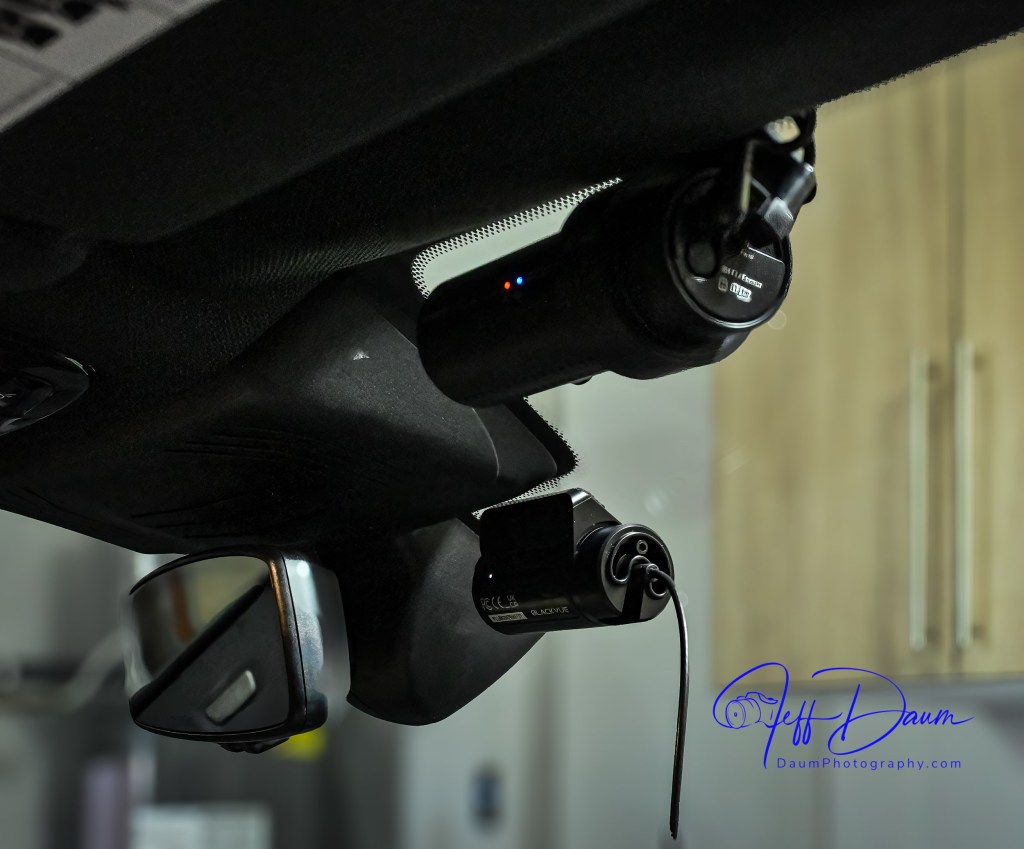
The DR770X dashcams were tested by mounting them in nearly the same perspective on the front and rear windshields as the DR900S, as can be seen in these images.

The main lockable box and B-130X Power Magic Ultra Battery were temporarily placed on the floor, with the GPS module or the LTE BlackVue cloud Connectivity Module antenna temporarily mounted near the top of the windshield.

Field Test

In this as well as all my tests, the images here are unmodified and based on the factory settings, which can be fine-tuned if one wants to.

Here is a look at the front facing cameras during the day.  In this comparison the DR900 images are slightly darker than the DR770.  The DR900 has a wider perspective, meaning you would see vehicles on either side earlier than with the DR770.  Both systems capture solid images along with documenting your position and speed (though you can turn that off in the set-up).  When I looked at enlarged images, the DR900 captures a bit more detail than the DR770.

[Note: a higher resolution video can be seen by clicking on “Watch on YouTube” in the lower left section of each video]

Here is a comparison of the rear facing cameras, with similar conclusions as the front facing cameras. Again, the DR770 has a smaller angle of coverage with its rear facing camera than the DR900S.

Turning to night captures, the front facing DR900 appears sharper with less flare around bright lights than the DR770. 

Looking at the night rear facing cameras, the DR900 has more flare around bright lights than the DR770, but still a bit more detail on examination.

The interior facing camera of the DR770 provides similar quality during the day to the front facing camera, but with a much wider range of 180 degrees.  It captures everything from the driver door to the passenger door and back seat.  This camera includes Infrared LEDs and sensors that automatically come on in low light, providing clear images in total darkness.

The free BlackVue app provides easy access to check on the B-130X remaining power.  If you have the optional LTE Connectivity module connected, the app also allows you to see what your dashcams are seeing, stored recordings, etc.  Even if you do not have the Connectivity module, the app will allow you via WiFi to see what your cameras are seeing and to modify their and the system’s settings.

There is also a free BlackVue app for your computer that is very useful.  While you can remove the MicroSD card and view the recordings on your computer without the app, the app offers several real advantages.  When you use the app to view your recordings, it enables you to see all cameras (front, rear and interior) simultaneously as well as providing a sidebar with a dynamic map and GPS position.  Another nice function of the app is it will automatically join the individual recordings one after another, simplifying the viewing.

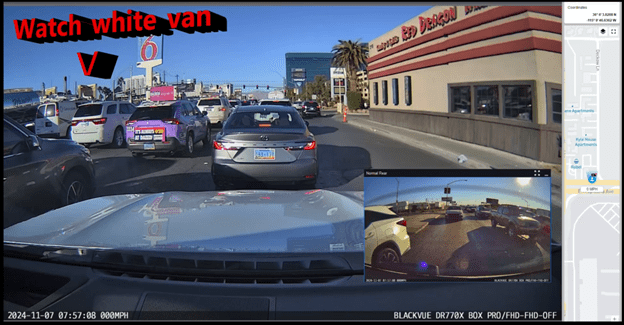
Here is a screen shot of what the BlackVue computer app looks like with the DR770X.  On the right side of the screen, you see a narrow column with a dynamic map showing my vehicle’s position with street names, my speed, and actual GPS coordinates. On the bottom of the screen, you will see a line with date, time, vehicle speed, and the BlackVue camera(s) on the recording.  In the main part of the screen, you see a picture in a picture that has the rear facing camera and the rest is the front facing camera.  You can adjust what is included in the screen.

When you look at the following example from the app, you can see how the map is dynamic, and somewhat amusing, the white van will attempt to cross three lanes nearly perpendicular to the flow of traffic!

Preliminary Field Test Conclusions

Set up of the DR770X was straight forward, especially since this system uses the included wireless button to pair the cameras with the BlackVue phone app.  Once you power up everything, you simply press the wireless button which pairs with the app, and then you use it to confirm the DR770X cameras you installed.  Once that is done, you are all set.  You can use the system immediately or use the app to modify software defaults.

As in prior comparisons, BlackVue continues to produce top line dashcams with the most important features built in.  Of course, quality does come at a price with the DR770X 3CH Pro including a 64GB microSD card retailing at US$474.99.

The Power Magic Ultra Battery B-130X retails at US$359.99. The LTE module retails at US$159.99.

BlackVue customer service has been excellent in responding to any set up questions and/or issues.

The BlackVue DR900S has been in my vehicle for nearly 5 years now and has performed flawlessly in all temperatures from freezing to extreme desert heat. I have no reason to think the new DR770X Box-3CH Pro series won’t perform equally well and it adds the ability to have the IR interior camera along with added security of the locking main box and tamperproof camera mountings.

BlackVue states that you should use their microSD cards for optimal performance. I experimented early on with several non-BlackVue microSD cards (all were name brand high-quality professional level cards, designed specifically for handling the frequent record events typical of security cameras designed for video recording), and while they would work for a period, inevitably they would stop working or have glitches.  Once I went back to BlackVue’s own card I never had it stop working or fail.

These cameras offer pricing plans for saving files to the cloud as well as in the case of the option LTE connectivity module, a built-in SIM card to simplify the recording directly to the cloud.  As noted, it is easy to either download the video files or temporarily remove the microSD card and transfer the files to your computer.

The fit and finish of the new DR770X is excellent and all the components included are high quality.

If you are highly concerned about your vehicle when it is parked and unattended, you should consider purchasing the optional Blackvue Power Magic Ultra Battery.  I was impressed with how it elegantly solves the OEM battery management software issue.  I am adding it to my cars.

A final thought worth repeating from my earlier reviews: Many of my readers have asked ‘Do you really need a dashcam, and if so which one?”  Hopefully this review is helpful in reaching a decision.  For me personally I always want to have documentation of what is going on around my vehicle when I am driving, so all my cars have dashcams and when I rent a car, I put in a portable dashcam before I leave the lot.  I also find it is nice to have videos of scenic drives and the ones from BlackVue are perfect for this.

Thanks for visiting and reading. If you have a question, please feel free to ask below!

Peter Brock, Designer Exemplar, and first look at the 2025 version of his iconic 1963 Sting Ray

By Jeff Daum, Ph.D., PPA[1]

Sixty-seven years ago, Peter Brock penned the sketch that Bill Mitchell[2] chose to become one of the most iconic cars: the split window 1963 Corvette Sting Ray. At the time, Peter was the youngest designer at General Motors. He would go on to be a renown visionary and prolific designer with accolades and records for a broad range of his designs including the Datsun 510 Coupe, Cobra Daytona Coupe, Shelby-DeTomaso P70 and Aerovault trailer. But my focus here is on Peter’s latest achievement, the 2025 Sting Ray Studio Concept car[3] revealed at the 2024 SEMA[4] show in Las Vegas, Nevada.

At first glance when the cover was drawn back on the 2025 Sting Ray Studio Concept car at SEMA, the body looked very similar to a well preserved 1963 Sting Ray even though it was described as a resto-mod. Peter had done something other resto-mod builders of the C2 Sting Ray had not. He retained the original body shape and design, staying away from radical changes such as widening the body, adding bulging fenders, etc. More importantly Peter added back into the 2025 Sting Ray subtle details and changes to bring it closer to what he had originally designed.

Peter shared with me the back story on how, and why, this came to fruition. He made a conscious decision to change as little as possible in the body to retain the original form since it was well established as an automotive design icon. In the five years it took to take its design to being a production car in 1963, GM was primarily focused on making money so there were compromises made on which details went into the final car. In this 2025 Sting Ray Studio Concept car Peter wanted to restore some of those important details.

Peter worked with Mike Staveski and his company, Resto Mod Vette to build the 2025 Sting Ray.  This is the second car that he did with Mike, but the first one that is designed fully to Peter’s specifications. Here are a few images of Peter at Mike’s shop making some of the modifications:

They began with a 1963 donor Sting Ray body. Mike decided on and sourced the modern drivetrain and chassis which included:

  • GM crate LS3 engine
  • Electronically raised and lower hood
  • Harrop fuel injection
  • Holley engine management
  • Dewitts radiator
  • 4L60e transmission
  • PSC push button shifter
  • Ididit steering column with Sparc Industries Wheel
  • Dakota Digital gauges (with Peter’s signature)
  • Vintage Air AC
  • Art Morrison custom chassis
  • Cerakote frame
  • C7 front suspension with AME IRS, Ridetech Coilovers
  • Wilwood electric brakes
  • Additional Corvette parts from Corvette Pacifica
  • Additional parts from Atech Motorsports
  • Dynamat sound proofing
  • Custom glass from AM Hot Rod Auto Glass
  • Douglass Interiors Leather, Linen & Sage
  • Forgeline 18 wheels
  • GM Hypersonic Gray paint

Peter designed and supervised the details he wanted to add back to the body. These included making all the vents and air scoops functional. Mitchell, at the time, wanted the nonfunctional vents because while it saved money by not making them real, it added perceived value to potential buyers as they viewed the car in the showroom.

Another important change for Peter was to improve the interior visibility. Mitchell wanted a split rear window on the 1963 Sting Ray as homage to the Bugatti 57SC Atlantique, but that impacted the rearward visibility and Zora Arkus-Duntove[5] was really upset with Mitchell for mandating that. In Peter’s original sketch the glass was not split and went all the way down to the radius along the side. To improve this on the 2025 Sting Ray, Peter enlarged the area of each split window and eliminated the “B” pillar on the doors so that now the side windows are one continuous piece of glass. Together these changes result in better visibility from the inside of the Sting Ray and it feels more open. Complementing this, Peter used only the finest materials on the interior of the resto-mod. This is reflected in the new instrumentation, the top-grain leather on and around the dash, including around the air ducts. All that leather was hand stitched but resulted in a very high-end production finish.

Continuing with detail changes on this 2025 Sting Ray, two more can be seen when looking at it from the back. In addition to the enlarged split windows, Peter brought the fin all the way down to the midline of the body through and including the gas filler door. The fin is also slightly raised paying more homage to the Bugatti Atlantique. A nice detail is that the gas cap can now be placed into a holder inside of the gas filler door when removing it. At the front of the car the headlights have been changed from the flip up 1963 approach to built-in LED quad headlights with halos. Most of the original bright work on the body, like the bumpers, was downplayed and changed to black chrome encouraging one’s eyes to focus more on the overall form. Peter also put his race-type mirrors on the doors, which work well with the flow of the body.

At one point in our interview, Peter mused that this is based on a sixty-seven-year-old design, saying “how does something last that long and still evoke such admiration and desire from people that see the car.”  He went on to add “the impetus for the Sting Ray grew out of Mitchell going over to Italy and seeing all the streamlined cars and bringing back photographs of them for us to study. I do not think he knew whether we could design a car that would meet his expectations. But once he saw what we were turning out, his enthusiasm grew, and he kept coming back into the studio to see the progress we were making. We did not always agree on direction, for example, I wanted the nose lower and back end higher, but Mitchell was traditional and knew the drop away in the rear would sell, so that is what we went with.” With emotion, Peter added that he had a particularly good relationship with Mitchell, and that he was a great mentor. Tony Lapine and Larry Shinoda, veteran design specialists, took over the final version as the Sting Ray was getting ready to go into production. Peter had been moved to work with Harvey Earl.[6]  He added that it would have been super to have Tony and Larry around to work with him on this 2025 Sting Ray. Since that was not possible, he wanted to make sure it stayed true to their original efforts.

Peter said Mike has a super crew who worked on this 2025 Sting Ray. It came out so well and has been so successful that Peter and Mike have decided to do a series of these cars. Mike told me (JD) he has sold three of these already. This one is headed to Barrett-Jackson’s Scottsdale auction. Craig Jackson, CEO Barrett-Jackson, was at the SEMA reveal and was very impressed with the car and intimated it may be his feature car at the auction. Based on the level of enthusiasm and interest, Peter and Mike think they may do a dozen or two of these cars. Each will be different in terms of paint, interior and finish, but the overall design details will remain the same, so it becomes a limited production that follows the Studio Concept. Mike already has plans for a Z06 version that will follow this same approach. I mentioned to Peter that notably missing on this first 2025 Sting Ray were some safety features such as shoulder (three-point lap) belts and air bags. Peter said he expects more enhancements to make it into upcoming versions, and that the seat belts in this one will be changed before Scottsdale.

It almost seems heretical to talk about cost when discussing the sheer beauty, art, and evolution of the 2025 Sting Ray, but I know some readers will ask me if I do not. Mike told me he has priced these Studio Concept models starting at USD 495k. Of course, Barrett-Jackson’s Scottsdale auction will provide a real-world test of the market value of Peter’s 2025 Sting Ray.

Lest you think Peter, at 88 years old, is now resting on his laurels, he took me into his studio to show me his new car project. Of course, it is sleek with some neat aerodynamic features, and he is very excited about it. However, that is all I can share now, details are currently embargoed but stay tuned.


Thanks for visiting and reading. If you have a question, please feel free to ask below! 

[1] Primary sources for content were interviews with Peter Brock and Mike Staveski. Other sources included Peter’s book Corvette Sting Ray Genesis of an American Icon and Brock Racing Enterprises publications.

[2] Head of GM Design from 1958-1977

[3] A Studio Concept car was a term applied to a few special ‘one-offs’ made at GM Styling, after production was underway, for GM executives.

[4] SEMA is the Specialty Equipment Marketing Association, and the show held annually, is the largest of its kind.

[5] Corvette Engineering 1953-1975

[6] In charge of GM Design from 1927-1958


Beatbot AquaSense Pro: Clean your pool with a robot every bit as smart as R2-D2!

by Jeff Daum, Ph.D., PPA, Technology & Product Analyst

This is a review of a AI powered pool cleaning robot. Come dive in with me 🙂

Unboxing and Technical Information

Before answering these questions, let me talk about the unit itself.  It came well packed and protected in a single box.  The Beatbot AquaSense Pro (dry) weight is about 11 kg or around 24 pounds and it measures 451mm x 403mm x 263mm or 17.75 inches x 15.9 inches x 10.4 inches. 

Included in the packing box is a multi-language Quick User Guide (with unfortunately hard to read small gray text on a black background) that runs 2 pages per language, a very legible User Manual that runs 32 pages per language, a compact charging station with attached power cord, and a retrieval hook (not normally needed).

Quick User Guide

It is a very nicely finished product and appears well made.  It has a built-in carrying handle, a push to open cover over the dual filter baskets, a separate cover for the option water clarifying agent kit. LED status light bar, and mode switched/LED indicators.  It comes fully assembled with rubber track wheels and roller brushes.

Highlights from their website:

o        List $2,199 (though they may have a sale on their site)

o        World’s 1st 5-in-1 Cleaning: Clarification/Surface/Waterline/Floor/Walls Powered by 9 Motors.

o        Best Intelligent Path Optimization Powered by Quad-Core 1.8GHz Processor.

o        Industry-Exclusive Intelligent Return to Water Surface and Surface Parking.

o        Powerful Wall Cleaning with Brushless Main-Pump Motor up to 5500 GPH Suction.

o        Effortless Cleaning Control with the Beatbot APP and OTA Software Upgrades.

o        Award-Winning and Eco-Friendly Cordless Submarine Propulsion Design.

o        Superior Cleaning Efficiency and Coverage with 2×2 Independent Roller Brushes.

o        Extreme Safety and Reliability with 15 Certifications, including ETL, CEC, and IP68.

o        Ultimate Convenience with Cordless Charging Dock for Plug-Free Operations.

o        9.5 Hours Surface Cleaning and 5 Hours Floor Cleaning with 10400mAh Battery.

The Quick User Guide suggests that you put the Beatbot AquaSense Pro on the charger stand (plugged in) and allow it to fully charge up.  The charger stand does require easy no tools assembly of the two supporting leg brackets prior to use.

Also, included in the Quick User Guide is a QR code to scan with your smartphone to download the Beatbot app.  Once you download it, you’ll need to follow its setup instructions.  The app is very easy to use and provides you information such as state of charge, the cleaning mode selected (or you want to select) and when the robot is done cleaning your pool and ready to be lifted out.  It will also provide reminder messages such as to clean the filter baskets.

When you are ready to have Beatbot AquaSense Pro clean your pool there are a couple of things to do before putting it in the water.  The manual tells you to (1) turn off your pool (pop-up cleaner, water input from the pool pump) (2) remove any objects including people floating in the pool that can interfere with the multiple sensors, and (3) to place the robot on a level surface by the pool for 5 seconds to allow it to calibrate.  Then you are ready to ease it into your pool.  It will turn itself on shortly after it senses the water and begins the cleaning process depending on the mode you selected. 

You have a choice of five cleaning modes: a Quick mode which cleans only the pool floor once, a Standard mode which cleans the floor, walls and water line once, a Pro mode with cleans the floor, walls, waterline and surface one time, ECO mode cleans the floor every other day (it remains on the pool floor until it cleans it again in two days), and Custom mode.

After the robot is finished cleaning, it will bring itself to the edge of the pool and hover there (unless you selected ECO mode) and send you a message via the app.  If you don’t retrieve it for an extended period, it will drop to the pool floor and you will need to use the retrieval hook to bring it back up.  The manual recommends that you slowly remove the Beatbot AquaSense Pro from your pool to allow it to self-drain as you pull it up.  Then you pop open the filter baskets cover and remove them for cleaning using a hose.  When that is done, you can put it onto the charger stand or in my case, move it into our hot tub for it to clean.  It easily cleaned both my pool and the hot tub on a single charge with battery power remaining once done.  It took about 3 to 3 ½ hours for the pool and under 1 ½ to 2 hours for the hot tub on different runs completed during my initial testing. It is virtually silent while cleaning unless it was at the surface where you could hear the water being expelled at a relatively low db level.

Preliminary Results

So, let’s turn to my initial set of questions: How did it handle my free form pool?  In a word- easily!  It had no problem with the fact that it was irregular in shape with curved walls.  The only impact was that the app when the cleaning was finished stated it automatically switched to DeepSense Mode for better cleaning and did not provide a clear graphic of the path it took to do it.  Did it do a good job cleaning?  We live in a dry desert climate so often there are blowing sand and dirt that get into the pool.  I was truly amazed at the amount of sand the Beatbot AquaSense Pro vacuumed up and how noticeably cleaner the bottom of the pool looked compared to just the normal pool filtration system and having the pool manually cleaned once a week. 

Similarly, it did a great job capturing leaves and debris both on the pool bottom and floating on the pool surface. 

Do I think this is something a pool owner would really want or is it just a neat robot?  I think the list price of $2,199 will deter many potential buyers until they see it in action or know someone who has one.  If you pay someone to clean your pool frequently, the Beatbot AquaSense Pro will pay for itself in your first year of ownership.  If you clean your pool yourself, you need to weigh your time and the quality of the job you do versus the ease of having Beatbot AquaSense Pro doing it for you.

If you would like to see a short video of the Beatbot AquaSense Pro in action, click on this link https://youtu.be/k1gVOMtEDKk

Summary

I am extremely impressed with Beatbot AquaSense Pro design and execution.  Lots of pool vacuums and some robots can do a good job on the floor of a pool, but to be able to climb the walls, stairs and landings, and scrub the waterline truly separates Beatbot AquaSense Pro from the field.  It is so easy to use and clean and the results are sparkling, both in the pool and hot tub.  The app is well designed and works every time.  I did not get the optional Clarifying Agent Kit so I can’t speak to its effectiveness.  Since the app has not given any information on water quality, I presume that is dependent on having the Kit installed.  The only hitch experienced so far is that the MemoryPark™ smart return doesn’t always bring the unit back to the starting point, but it always hovers near the wall, so it is easy to retrieve.

Conclusion, I rate Beatbot AquaSense Pro 5 out of a possible 5 waves!

Thanks for visiting and reading. If you have a question, please feel free to ask below!